Mobile Proxies Explained: How They Work, Selection


If you’re involved in multi-accounting, ad verification, or software testing, you’ve likely heard that “mobile proxies are king.” They are often touted as the ultimate solution against bans and the magic key for platforms like Facebook, Google, and Amazon. But is the hype justified?
Let’s cut through the marketing noise. I’ll explain the underlying technology, why these IPs cost 10x more than standard datacenter proxies, and where the safety boundaries lie.
What Are Mobile Proxies (Simply Put)
Imagine browsing the web from your home Wi-Fi. You have a static IP address assigned by your ISP to your router. If you start making thousands of requests to a website from this address, you’ll get blocked. Your IP is your digital passport, and it gets flagged.
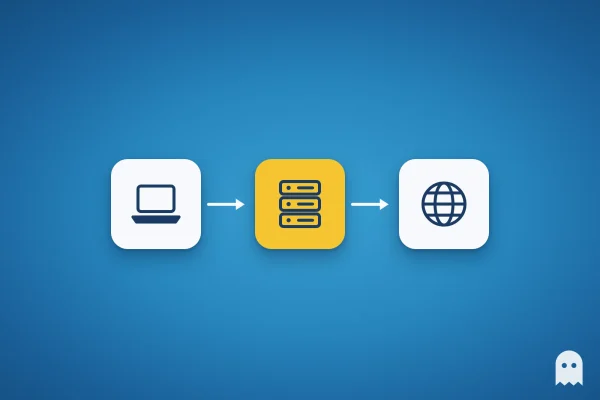
Mobile proxies route your internet traffic through a SIM card installed in a real mobile device (smartphone, USB dongle) connected to a cellular network (AT&T, Verizon, Vodafone, etc.). Technically, it’s often a “farm” of modems connected to a server. To the target website, you don’t look like a server in a data center; you look like a regular person holding a smartphone, commuting, and browsing via 4G/5G.
The key advantage is trust. Websites and social networks are extremely lenient towards mobile users.
How It Works: The Magic of CGNAT
Why does Facebook ban a datacenter IP in seconds, while a mobile IP can perform aggressive actions and stay clean? The answer lies in CGNAT (Carrier Grade Network Address Translation).
Why Websites Trust Mobile IPs
There is a global shortage of IPv4 addresses. There are only about 4 billion addresses, but tens of billions of mobile devices. Mobile carriers physically cannot assign a unique public IP to every subscriber.
They use NAT technology. Simply put, thousands (sometimes tens of thousands) of real users share a single external IP address simultaneously.
If Instagram or Google blocks this single mobile IP, they would cut off access for thousands of innocent, legitimate users. For major platforms, this is unacceptable “collateral damage.” Therefore, mobile IPs possess a sort of “immunity.” Their trust score is inherently maximized.
IP Rotation & Sticky Sessions
Mobile proxies typically offer two types of IP changes:
- Auto-rotation (Timer-based): The IP changes automatically every 2, 5, or 10 minutes. This is ideal for web scraping when you need to gather data without hitting rate limits.
- On-demand (Link-based): You trigger the IP change manually (via a button or API). This is critical for account management (SMM, ads). While you work on one profile, the IP must remain constant (Sticky session) to avoid triggering security alerts due to sudden location jumps.
Mobile vs. Datacenter vs. Residential Proxy
To understand the value, let’s compare them.
| Feature | Datacenter Proxies | Residential Proxies | Mobile Proxies |
| Source | Cloud Servers (AWS, Azure) | Home Wi-Fi of real people | 3G/4G/5G Cellular Networks |
| Price | Low ($1-2) | Medium (per GB) | High ($30-100/mo) |
| Trust Score | Low (easily detected) | High | Maximum |
| Speed | Very High (1 Gbit/s) | Medium | Signal dependent (10-50 Mbit/s) |
| Rotation | Rare (usually static) | Frequent | Controllable |
Datacenter proxies are fine if you just need to bypass a simple geo-block. For serious work with ad accounts or scraping protected sites, their subnets are often already flagged.
For how proxies work in general, the other types and where to turn a proxy on in your phone and computer settings, see what is a proxy.
Pros and Cons: An Honest Review
Nothing is perfect. Mobile proxies have their downsides too.
Pros:
- Resilience. It is extremely difficult to ban a mobile IP permanently.
- Dynamics. You can cycle through thousands of IPs per month from a single port/endpoint.
- Clean History. Carriers constantly reassign IPs to different users, “washing” the usage history quickly.
Cons:
- Cost. Hardware (modems) and cellular data plans are expensive. A legitimate channel cannot cost $5.
- Speed & Latency. It’s a radio channel. Speeds fluctuate. Latency (ping) is always higher than wired connections.
- Concurrency Limits. You cannot run 1000 scraping threads through one modem; the bandwidth will choke.
Who Needs This and Why: Legitimate Use Cases
- Marketing & SMM. Managing dozens of client accounts. If an agency logs into 20 accounts from one office IP, platforms flag this as suspicious. Tools like Accovod handle browser fingerprinting, while mobile proxies provide the unique, “human” IP for each profile.
- QA & Testing. App developers need to verify how their software performs across different carrier networks (latency, compression, headers).
- Ad Verification. Brands monitor their ads to ensure they aren’t being clicked by bots or displayed incorrectly in different regions.
- Market Research. Prices on e-commerce sites often vary by region or device type. Mobile proxies allow analysts to see “real” pricing as a local mobile user would.
How to Choose a Service: A Practitioner’s Checklist
Don’t buy blindly. Check the provider against this list:
- Private vs. Shared. Are you getting a dedicated modem or a shared channel? Shared is cheaper but risky (neighbors can get the IP flagged). For business, always go Private.
- Free Trial. Is there a test period (2-24 hours)? If not, it’s a red flag.
- Rotation Control. Do they offer an API or link to change the IP? Can you set the rotation interval?
- Geo & Carrier Targeting. Can you choose a specific carrier (e.g., T-Mobile US) and city? Crucial for local SEO.
- OS Fingerprint. High-quality proxies transmit a passive TCP/IP stack fingerprint that matches a mobile OS (Android/iOS), not a Linux server. Verify this with tools like
ip quality score.
Free Mobile Proxies: Where is the Trap?
This section will save you money and headaches. Users often search for “free mobile proxies.”
Rule of thumb: High-quality free mobile proxies do not exist.
Running a modem farm is expensive (hardware, electricity, data plans). If it’s free, you are the product.
What “Free” Actually Means:
- Botnets. These are hacked devices of real users. By using them, you become part of a malicious chain.
- Trials. The only safe option. Reputable services offer short trials (1 hour to 1 day).
- Public Lists. Slow, dead IPs that live for minutes. They are often honeypots used to sniff (intercept) your data.
The Risks:
- Data Theft. Your traffic (passwords, session cookies) passes through an unknown server. Without strict HTTPS, it can be read.
- Content Injection. The proxy owner can inject ads or malicious scripts into the pages you load.
- Legal Liability. If the IP was used for illegal activity before you, you might get implicated.
How to Test Safely:
Only use official trial periods from established providers. Never input sensitive credentials (banking, primary email) through untrusted proxies.
FAQ
Do mobile proxies affect internet speed?
Yes, they are slower than fiber/broadband. Expect 10–40 Mbps, which is sufficient for browsing and account management but not for heavy downloading.
Can I manage 5 accounts with one proxy?
A: Yes, but be careful. It’s best to rotate the IP between sessions. Accovod helps automate the profile switching while you trigger the IP change.
What is a 4G/LTE proxy?
A proxy running on the 4th generation cellular network. They are faster and more stable than older 3G proxies. 5G proxies are emerging but are significantly more expensive.
Will I get banned for using a mobile proxy?
A: The proxy itself doesn’t cause bans. Bans happen due to suspicious behavior (spamming, aggressive actions). The proxy is a camouflage tool, not a license to break rules.
Conclusion: Mobile proxies are the “heavy artillery” of anonymity. They are pricey, but they pay for themselves through high trust scores and account stability. If your priority is safety and mimicking real user behavior, there is no real alternative.