Accovod vs Antidetect Browsers

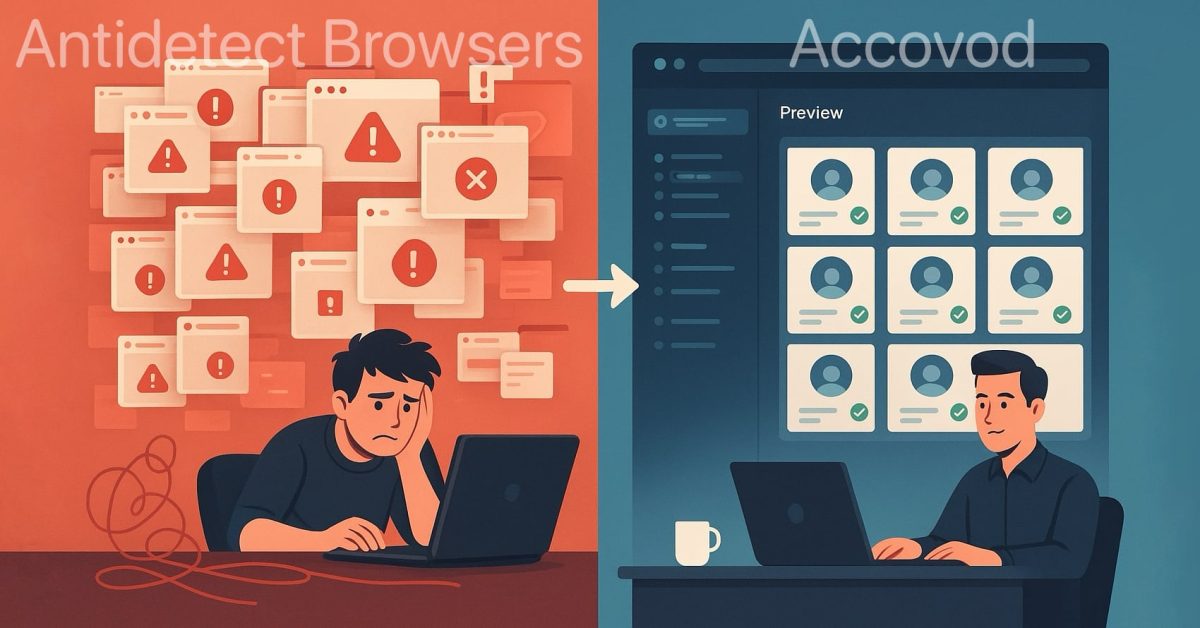
If you manage several social media accounts, engage in traffic arbitrage, or run a marketing agency, you’ve likely encountered antidetect browsers. They’ve long been the industry standard, but are they truly convenient? Accovod is a next-generation solution that rethinks the approach to managing multiple accounts.
What are Antidetect Browsers?
Traditional antidetect browsers include Multilogin, Dolphin Anty, GoLogin, AdsPower, Octo Browser, Undetectableand several others. Their primary purpose is to hide the fact that you’re using multiple accounts and make them appear as regular users, preventing account bans.
Each of these browsers has built-in browser fingerprint modification systems designed to protect against detection. However, despite their advantages, they have critical drawbacks in workflow organization.
The Main Problem with Traditional Antidetect Browsers
Picture this: you have 50 Instagram accounts. In a traditional antidetect browser, each profile runs and works as a separate browser instance. This means:
- You need to open 50 browser windows or constantly switch between them
- Inconvenient profile management — how do you find the right profile among dozens of identical windows?
- Complex fingerprint configuration, and one mistake leads to a ban
- Enormous resource consumption and time waste, slow performance
This is where Accovod’s main advantage becomes clear.
How Accovod Solves the Problem
Accovod isn’t just an antidetect browser — it’s an account management platform. Instead of opening each profile in a separate browser, all profiles are managed from a single program window.
Imagine an SMM agency’s workday:
- The manager opens Accovod once
- Sees all accounts in a convenient list with search and notes
- Clicks on an account and switches to it in milliseconds
- Sees all profiles simultaneously thanks to the Preview feature — viewing all pages in real-time in a single window
This fundamentally changes work speed and convenience.
Unlimited Locally Stored Profiles
Traditional antidetect browsers often impose restrictions:
- Pricing tiers strictly limit the number of profiles
- All profiles are stored on company servers, with risks of account leaks (as recently happened with one well-known antidetect browser)
- More profiles mean higher costs
Accovod stores all profiles locally on your computer by default. This means:
- Create as many profiles as you need
- No cloud dependency
- Complete control over your data
- No hidden limits
For team collaboration, Accovod also offers cloud profiles.
Built-in Automation Without Complexity
Most antidetect browsers require complex scripts for automation or integration with tools like Puppeteer and Selenium. This demands programming skills.
Accovod has built-in automation right in the program:
- Clicks on elements
- Text field filling
- Link navigation
- Running on all profiles simultaneously
No coding required — everything is configured through a simple interface.
Features Not Found in Antidetect Browsers
Social Media Notification Tracking
Managing dozens of Instagram accounts? You can’t miss an important Direct message. Accovod automatically tracks notifications and displays a counter for new messages and alerts right in the main program window.
Traditional browsers simply open the browser — the rest is up to you.
Built-in Ad and Tracker Blocker
The integrated blocker:
- Blocks ads and trackers
- Improves page load speed
- Remains undetected by platform detection systems, unlike browser extensions
Account Management Convenience
Accovod is designed for fast workflow. All profiles are immediately accessible from one window:
- Search — by site, account name, login, notes
- Notes and tags — attach notes and tags to each profile (2FA, status, instructions)
- Compact Sidebar mode — minimal area for the account list, maximum space for work
- Preview mode — In traditional browsers you must open each profile separately and find it among dozens of identical browser icons. In Accovod, enable Preview — and see all accounts simultaneously in one window in real-time. Perfect for monitoring.
Fingerprint Configuration Errors
This is critical. In traditional antidetect browsers, you must manually configure fingerprint parameters:
- User Agent
- WebGL
- Canvas
- WebRTC
- Screen resolution
- Timezone
- System language
- And dozens more
Make one mistake — your account gets banned.
In Accovod, you simply can’t make critical errors. The program:
- Automatically generates a unique fingerprint
- All parameters are coordinated with each other
- You only set basic parameters: proxy, browser, language
- The program handles the rest using our experience and research
This reduces the risk of bans due to misconfiguration by 99%.
Direct Comparison: Table
| Parameter | Accovod | Traditional Antidetect Browsers |
|---|---|---|
| Work with profiles from one window | ✅ | ❌ |
| Unlimited profile quantity | ✅ | ❌ |
| Local profile storage | ✅ | ❌ |
| Automator – built-in automation (UI) | ✅ | ❌ |
| Social media notification tracking | ✅ | ❌ |
| Built-in undetectable ad blocker | ✅ | ❌ |
| Preview – preview all accounts | ✅ | ❌ |
| Fingerprint profile protection | ✅ | ✅ |
| Automatic fingerprint configuration | ✅ | ❌ |
| Team profile collaboration | ✅ | ✅ |
| Convenient search and notes | ✅ | ✅ |
Who Is Accovod For?
- SMM managers — managing dozens of client accounts
- Marketing agencies — working with clients and their accounts
- Traffic arbitrage — managing and tracking multiple campaigns
- Advertising — increasing sales on marketplaces and ad platforms
- Multi-account users — simply people working with multiple profiles simultaneously
Conclusion
Traditional antidetect browsers solved the browser detection problem but didn’t solve the inconvenience of managing large numbers of accounts.
Accovod rethinks the approach: we created not just a browser, but an account management platform where antidetect protection is just one of many features.
With 5+ accounts the difference is immediately noticeable. With 50+ it becomes a necessity.
Try Accovod and see for yourself.