How to create a second Gmail account (and keep multiple Gmail accounts apart)

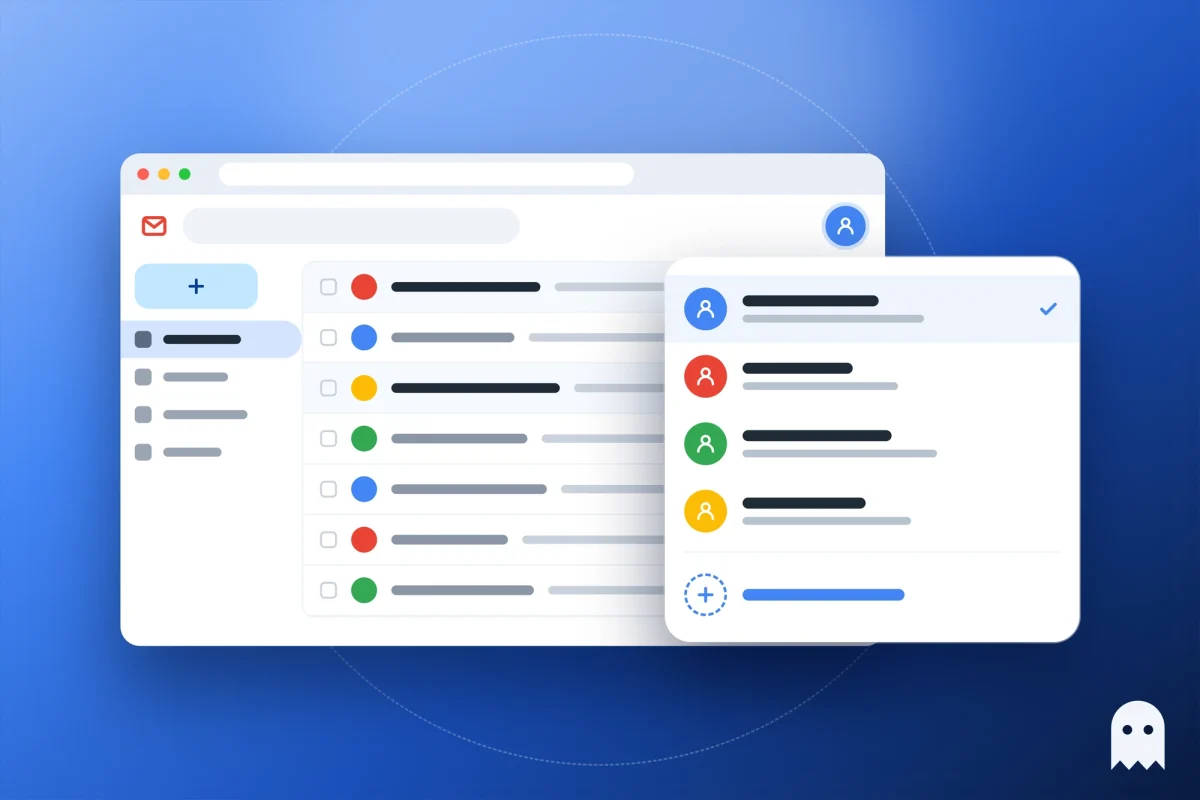
People usually look up how to create a second Gmail account when work email gets buried in their personal inbox. You don’t have to sign out of the first one. Click your profile picture in the top right of Gmail, choose Add account, then Create account. In a few minutes you’ll have a second address, and switching takes one click.
Contents
- Can you have two Gmail accounts?
- How to create a second Gmail account on a computer
- Can you use the same phone number for two Gmail accounts?
- How to add a second Gmail account on your phone
- How to switch Google accounts
- Multiple Gmail accounts in separate profiles
- FAQ
- Cheat sheet
Can you have two Gmail accounts?
Yes. Google expects people to have more than one account, and its help center explains how to sign in to several accounts at once and switch between them without signing out. Google doesn’t publish a limit on how many accounts one person can have. The limit that does exist is on phone numbers: each number can only verify a certain number of accounts, and Google doesn’t say how many.
So the real question is usually not “can I have multiple Gmail accounts” but how to keep them from getting mixed up. People open a second account for work, a side project, an online store or sign-ups, so that mail and files stay separate from their personal inbox.
How to create a second Gmail account on a computer
If you’re already signed in to Google in your browser, you create the second account from the same menu you use to switch accounts:
- Open any Google page, such as Gmail or google.com, and click your profile picture or initial in the top right corner.
- Choose Add account. The sign-in page opens.
- Click Create account and pick who it’s for: for yourself, for a child, or for work or your business.
- Enter your name, birthday and gender.
- Pick one of the suggested Gmail addresses or type your own. You can also use an existing email address from another provider instead of a new Gmail address.
- Create a password. Google may then offer to add a phone number.
You can’t take an address that’s already in use, looks too much like someone else’s, or belonged to a deleted account. If your choice is rejected, Google suggests free ones.
When you’re done, the new account shows up in the same menu next to the first one. To switch to it, click your profile picture again and pick the account.
Can you use the same phone number for two Gmail accounts?
You can add the same phone number to several accounts, but not to an unlimited number of them. If Google says the number has been used too many times, you’ll need a different one.
Sometimes you can skip the phone number during sign-up, but not every time: since 2025 Google asks for a phone more often, including through a QR code. We cover when it works in our guide on how to create a Google account without phone number verification.
Even if two accounts share a number, give the second one its own recovery email. That way you can get it back on its own if you’re ever locked out.
How to add a second Gmail account on your phone
On a phone, the easiest way is the Gmail app, which works the same on Android and iPhone:
- Open Gmail and tap your profile picture in the top right.
- Tap Add another account, then Google.
- On the sign-in screen, tap Create account and follow the same steps as on a computer.
On Android you can also add the account in your phone’s settings, in the accounts section. Then it shows up in every Google app at once: Gmail, Drive, YouTube and Google Play.
If you no longer need the second account on your phone, remove it from the same settings or from the Gmail profile menu. That doesn’t delete the account. It only disappears from that phone, and you can sign back in later.
How to switch Google accounts
With several accounts signed in, switching is easy: click your profile picture and pick another account. Gmail, Drive and Calendar then open as that account.
The catch is that one account is always in charge. Google calls it the default account, and it’s usually the first one you signed in with. When Google can’t tell which account you’re using, it may apply the default account’s settings. That’s where the small annoyances come from: a shared doc opens in the wrong account, Google Play shows another country’s store, or a YouTube video lands in the wrong account’s history.
For one personal and one work inbox, you get used to it. Once you have five or ten accounts, say for different projects, stores or YouTube channels, the problems get bigger.
First, all those accounts sit in one browser, with shared cookies, one IP address and the same browser fingerprint. To Google, that’s one person on one device. If one account gets suspended, the others are easy to link to it.
Second, you can’t hand that browser to a teammate or an assistant for just one account. Whoever sits at it sees every account.
People usually try a few workarounds, and each one fixes only part of the problem:
| What people try | What goes wrong |
|---|---|
| Every account in one window via Add account | One account is the default, and all share one IP and fingerprint |
| A Chrome profile per account | Separate cookies, but the same IP and fingerprint |
| Incognito windows | You’re signed out as soon as you close the window |
| Different browsers: Chrome, Edge, Firefox | Awkward by the third account, and the IP is still the same |
| A VPN for the whole computer | All accounts move to one new IP together |
Multiple Gmail accounts in separate profiles
To keep Google accounts from mixing and getting linked, give each one its own browser profile, with its own cookies, its own fingerprint and its own IP through a proxy. Each profile then has only one account signed in, links and settings never jump to another account, and there’s nothing shared that could tie the accounts together.
That’s how Accovod works. It’s a browser for people who run several accounts: personal, work, project, store or client accounts. It’s available for Windows and Mac, and cloud profiles also open in the iPhone and iPad app. Each Google account lives in its own profile, and the profile’s language and time zone follow the proxy’s country automatically. All profiles sit in one list in one window, and you move between them in one click, like tabs.
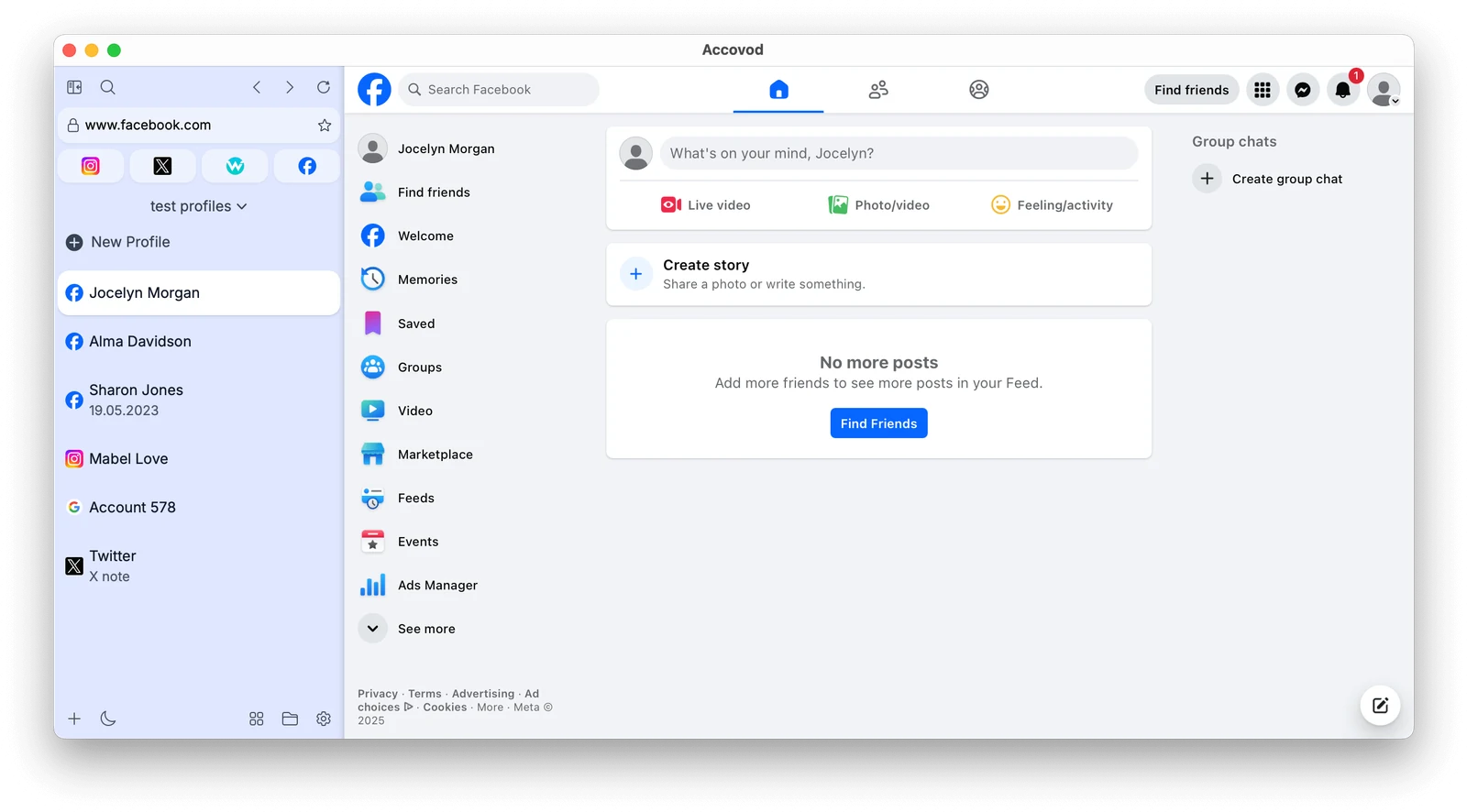
Setting up a profile for a second Google account takes a couple of minutes:
- Click New Profile. Type google.com in Platform, and in Account enter a name that tells you which account it is.
- Paste a proxy (HTTP or SOCKS5) from the country where you use this account and click the check mark. Accovod checks the connection and shows the IP, the country and the Fraud Score.
- Click Add. The profile gets its own fingerprint, and its language and time zone match the proxy.
- Open accounts.google.com in the profile and sign in, or create a new account with the steps above. The login is saved, so next time you won’t need the password.
- Set up profiles for your other accounts the same way.
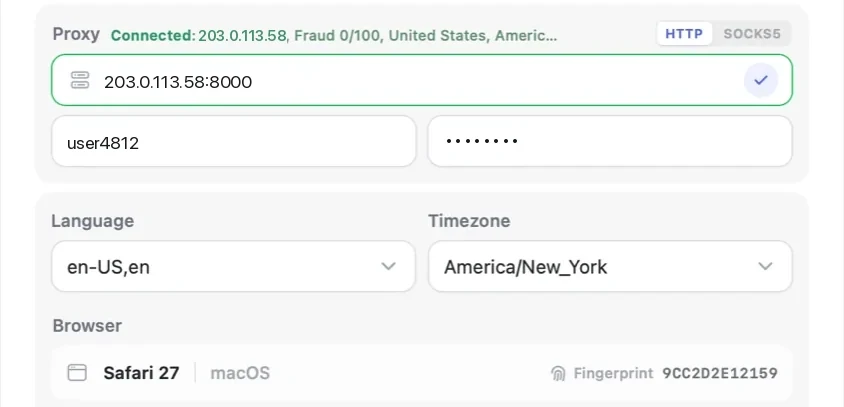
If a proxy goes down, pages in that profile simply stop loading. Accovod doesn’t fall back to your real IP, so the account never ends up on your home connection next to the others.
If other people work with these accounts too, add the profiles to a cloud group and share it with a teammate by email, as described in the teamwork guide. Your teammate gets straight into the accounts, sees only the ones you shared and never sees the passwords.
Accovod costs from $15 a month with unlimited profiles.
FAQ
How do I create a second Gmail account without signing out?
Click your profile picture in the top right corner, choose Add account, then Create account. Your first account stays signed in, and the new one appears next to it in the same menu.
How many Gmail accounts can I have?
Google doesn’t set a limit per person. The limit is on phone numbers: one number can only verify a few accounts, and after that Google asks for another number.
Can I have two Gmail accounts with the same phone number?
Yes, you can add one number to two accounts, and often to a few more. Once a number has been used too many times, Google stops accepting it and asks for a different one.
Can you merge two Gmail accounts?
No, Google doesn’t let you merge two accounts into one. You can move things over by hand: forward mail from one inbox to the other, or export data with Google Takeout and bring it into the other account.
How do I remove a second Google account from my phone?
Remove it in your phone’s account settings or from the Gmail profile menu. The account itself stays with Google and only disappears from that phone. To delete it for good, use the settings of the Google account itself.
Why does a Google Doc open in the wrong account?
That’s the default account at work: when Google can’t tell which account you’re using, it picks the default one, usually the first you signed in with. Switch accounts from your profile picture, or keep each account in its own browser profile.
Do I need a separate browser for each Gmail account?
For two accounts, personal and work, Google’s account switcher is enough. If you have more and they shouldn’t be linked to each other, it’s easier to keep each one in its own profile with its own proxy.
Cheat sheet
- Create a second account from the profile menu: Add account, then Create account.
- You can reuse a phone number, but every number has a cap, so give the second account its own recovery email.
- For a personal and a work inbox, Google’s account switcher is enough.
- With five accounts or more, give each one its own profile with a proxy from the right country, and don’t change that proxy without a reason.
- If a team works with the accounts, share profiles through a cloud group instead of sending passwords.