Does incognito work? What private mode hides and why it won’t keep your accounts apart

You check your second Instagram in an incognito window, and the next day it asks for your password again. Plenty of people also believe incognito hides them from websites. So does incognito work? It does, though all it really does is stop your browser from keeping a record on your own computer.
What is incognito mode
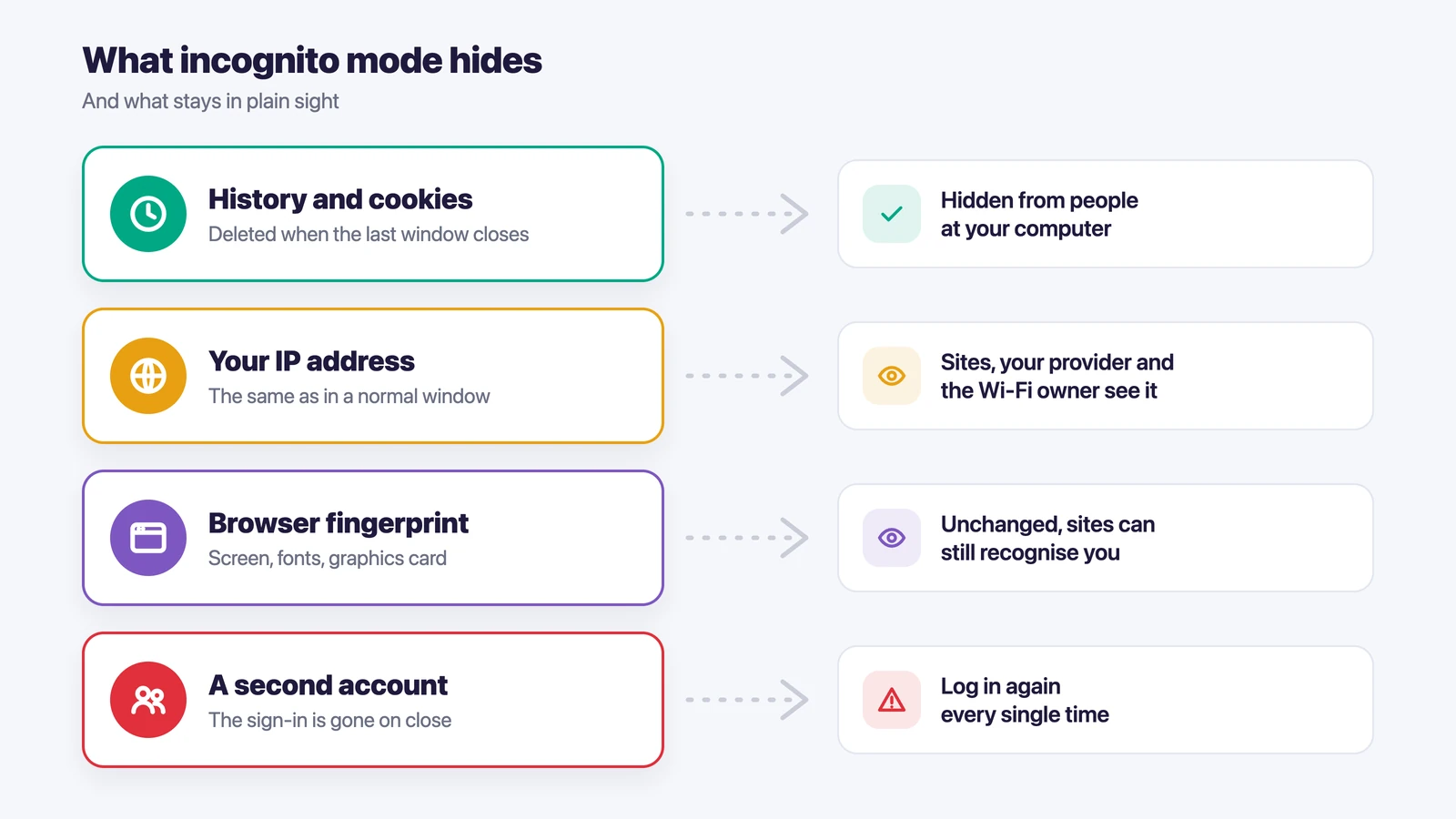
It’s a browser window that doesn’t remember anything. While it’s open, you browse, search and sign in as usual. Close the last incognito window, and the browser throws away the history, the cookies and whatever you typed on pages. The next person at the computer won’t see where you’ve been or end up in your email.
Bookmarks and downloaded files stay where they are. Edge calls this mode InPrivate, Firefox and Safari call it a private window, but they all work the same way.
How to go incognito
The quickest way is a keyboard shortcut. In Chrome and Edge it’s Ctrl+Shift+N, or Cmd+Shift+N on a Mac. In Firefox it’s Ctrl+Shift+P, or Cmd+Shift+P on a Mac. In Safari on a Mac press Cmd+Shift+N, or pick New Private Window from the File menu.
On a phone it’s tucked away in a menu. In Chrome tap the three dots and choose New Incognito tab. In Safari on an iPhone open your tabs and switch to Private.
Can websites see you in incognito?
Yes, almost as well as in a normal window. Your IP address stays the same, so a site still has a rough idea of your city and your internet provider. Your computer doesn’t change either: same screen, same fonts, same graphics card. Sites use small details like these to recognise a browser even without cookies. And once you sign in, the site simply knows it’s you.
Your internet provider still sees which sites you visit. At work so does the network admin, and at home or in a café, whoever runs the Wi-Fi. Incognito hides your history from people at your keyboard, not from the internet.
How sites recognise a browser without cookies is covered in our guide to browser fingerprinting.
Why incognito keeps logging you out
Because forgetting is the whole point of it. You sign in, do what you came to do, close the window, and the sign-in goes with it. Next time it’s the password again, and often a code on your phone.
Can you use two accounts in incognito?
Not in Chrome, Edge or Firefox. All the private windows you have open there are one and the same. Sign in to a second Gmail in one of them, and the other incognito window has that Gmail too. A normal window plus incognito gets you two accounts, and there’s nowhere to put a third.
Safari is different. On a Mac and an iPhone every private tab lives on its own, so two tabs can hold two different accounts. Close a tab, though, and that sign-in is gone as well.
And no browser changes your IP address or fingerprint in incognito. To a website, all those accounts are sitting on the same computer.
When incognito is actually useful
It’s great on a computer that isn’t yours. At a hotel, a friend’s place or a colleague’s desk, you can check your email without worrying that you’ll leave it open.
It’s also handy for seeing your own site the way a visitor without an account sees it, or for shopping for a present on a shared computer so the ads don’t spoil the surprise. A quick look at a second account is fine too, if you don’t mind typing the password every time.
How to keep several accounts without incognito
For accounts you open every day, you need a browser profile. Think of it as a separate browser inside your browser. It has its own cookies and history, and it stays signed in.
Chrome has profiles built in. But every profile opens in a window of its own, and they all go online from the same IP address with the same fingerprint. We compare the two approaches in Chrome profiles vs an antidetect browser.
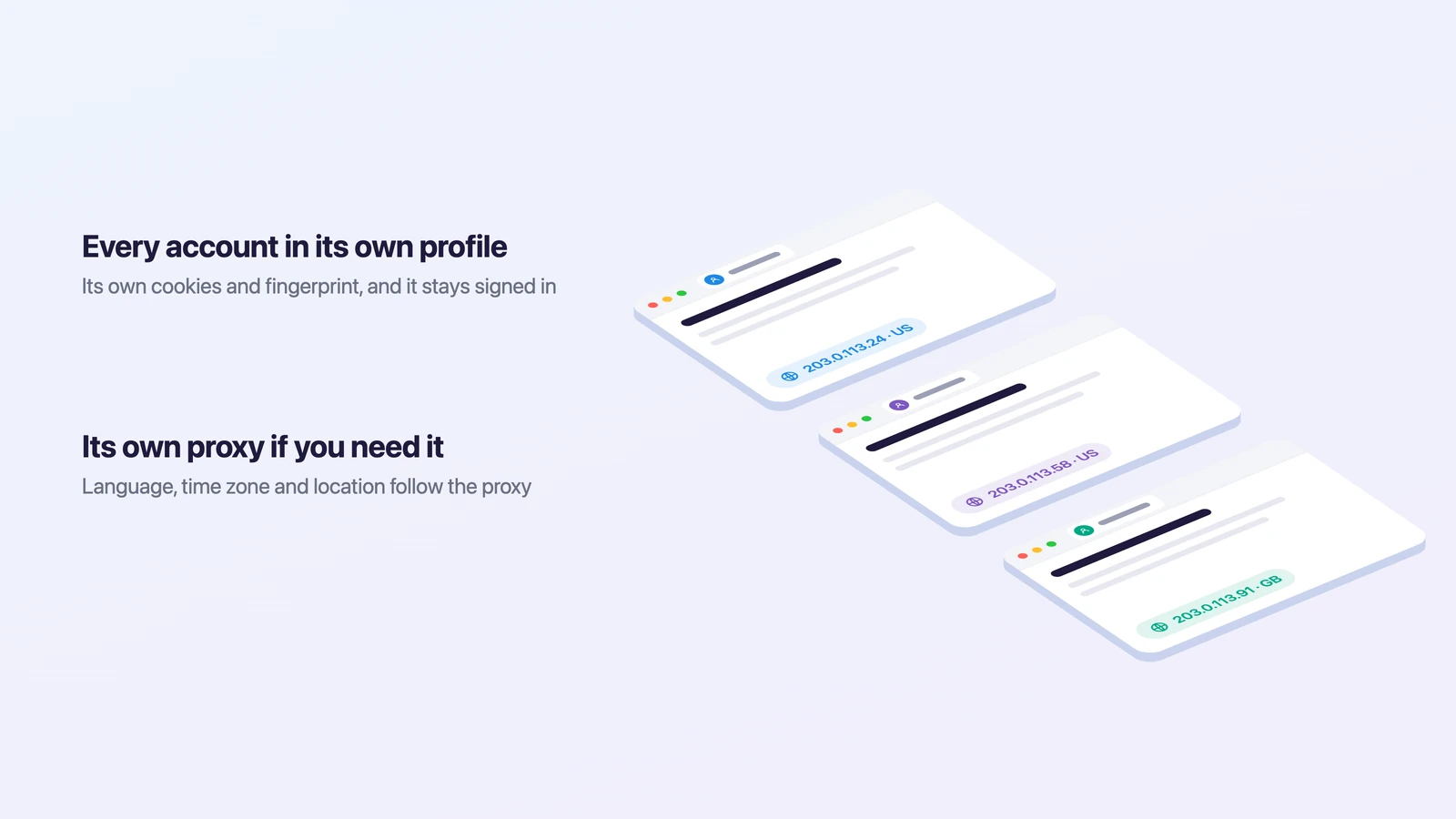
In Accovod every account lives in its own profile, and all the profiles sit as a list in one window. You switch between them in one click, the way you switch tabs. Each profile has its own cookies and fingerprint, and its own proxy if you want one. With a proxy, the profile’s language, time zone and location follow it.
You sign in once in the account’s profile, and from then on it stays signed in, like in a normal browser, without ever mixing with the accounts next to it. Profiles in cloud groups are there on Windows, Mac and iPhone alike.
FAQ
Does incognito hide my IP address?
No, your IP stays the same. A VPN or a proxy changes it, and incognito has nothing to do with that.
Can the Wi-Fi owner see what I do in incognito?
They can see which sites you go to. They can’t see what you type on HTTPS pages, but that’s true without incognito too.
Can I use two Google accounts in incognito at once?
Not in Chrome or Edge, because incognito windows there are shared. Two browser profiles are simpler. If you don’t have the second address yet, here’s how to create a second Gmail account.
Is incognito the same as a VPN?
No. A VPN changes the address you come to a site from. Incognito just doesn’t remember where you’ve been.