Gmail desktop app for Mac and Windows: how to get one and keep several accounts apart

Google doesn’t make a Gmail desktop app for Windows or Mac, but your browser can turn Gmail into one in a few clicks. You get a separate window and an icon in the Dock or on the taskbar, so you no longer have to hunt for the Gmail tab among twenty others.
Which way to go depends on how many accounts you have. With one, install Gmail as a web app from Chrome, Edge or Safari, or add it to Outlook or Apple Mail if you like a classic mail program. With several, give each account its own browser profile, otherwise they keep getting in each other’s way.
Contents
- Is there an official Gmail desktop app?
- How to install Gmail as an app in Chrome
- Gmail desktop app in Microsoft Edge
- Gmail for Mac: add it to the Dock from Safari
- Gmail in Outlook or Apple Mail
- Can you use Gmail offline on a computer?
- How to log in to another Gmail account on a desktop
- Several Gmail accounts side by side in Accovod
- FAQ
- Which option to choose
Is there an official Gmail desktop app?
No. Google makes Gmail apps for Android, iPhone and iPad, and on a computer it expects you to use Gmail in a browser. So if a site offers a “Gmail for PC” download, it isn’t from Google.
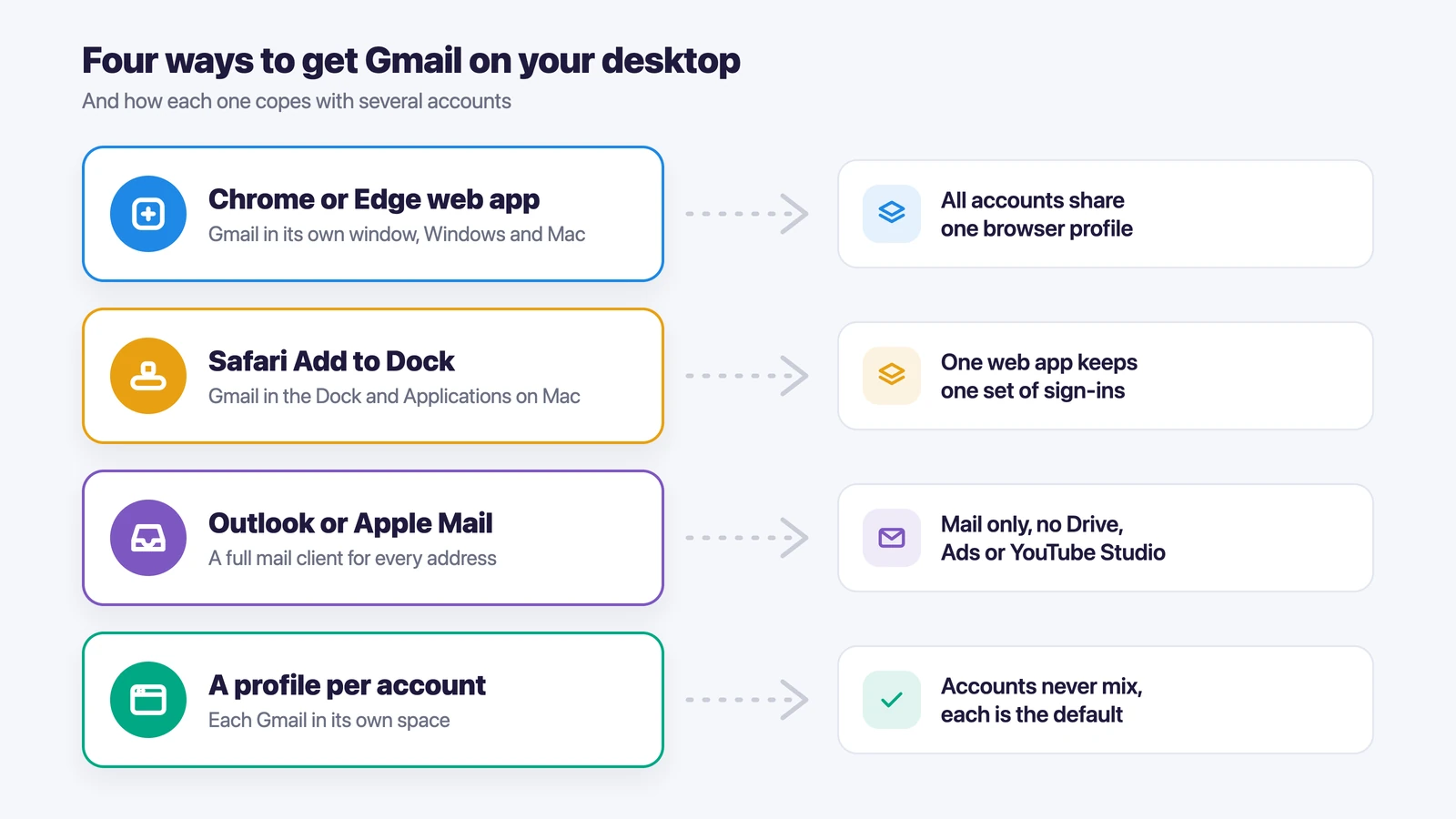
You don’t really need one, though. Chrome, Edge and Safari can all install a website as an app, and Gmail installed that way gets its own window and icon and opens like any other program. If you’d rather not use a browser at all, Outlook and Apple Mail both work with Gmail. Each option has a weak spot once you add a second or third account.
| Option | Works on | What you get | With several accounts |
|---|---|---|---|
| Chrome web app | Windows, Mac | Gmail in its own window with its own icon | All accounts share one Chrome profile |
| Edge web app | Windows, Mac | The same, pinned to the taskbar or Start | Same as Chrome |
| Safari “Add to Dock” | Mac | Gmail in the Dock and in Applications | All accounts share one web app |
| Outlook or Apple Mail | Windows, Mac | A full mail program | Mail only, the rest of Google stays in the browser |
| A browser profile per account | Windows, Mac | Each Gmail in a space of its own | Accounts never mix |
How to install Gmail as an app in Chrome
In Chrome it takes three steps, and they’re the same on Windows and on a Mac.
- Open Chrome and go to mail.google.com.
- Click the three dots in the top right corner, then Cast, save, and share and Install page as app.
- Check the name and click Install.
After that Gmail opens in its own window with no tabs or address bar. Pin it to the taskbar on Windows or keep it in the Dock on a Mac, and it’ll always be one click away. If you change your mind, Chrome’s help page on web apps explains how to remove it.
Gmail desktop app in Microsoft Edge
Edge does the same thing from a different menu. Open Gmail, click Settings and more (the three dots), then More tools, Apps and Install this site as an app. Once it’s installed, go to edge://apps to pin Gmail to the taskbar or the Start menu, or to put a shortcut on the desktop. Microsoft has the full steps in its guide to apps in Edge.
Gmail for Mac: add it to the Dock from Safari
On a Mac you can do it straight from Safari. Open Gmail, click the Share button in the toolbar, choose Add to Dock, then Add. Gmail shows up in the Dock and in your Applications folder, and in most cases you’re already signed in.
So if you were wondering how to download Gmail on a Mac, there’s nothing to download. Apple’s guide to turning a website into an app lists the same steps.
Gmail in Outlook or Apple Mail
If you’d rather read mail in a mail program, both Outlook and Apple Mail take a Gmail account. In the new Outlook for Windows, open Accounts, then Your accounts, click Add Account and type your Gmail address. Google may ask you to change a setting on its side before Outlook can connect. In Apple Mail, open the Mail menu, choose Add Account, enter the address and follow the prompts.
A mail program only handles mail. For Drive, Google Ads or YouTube Studio under the same account, you’ll still open a browser.
Can you use Gmail offline on a computer?
Yes, in Chrome. Open Gmail’s settings, go to the Offline tab, tick Enable offline mail and choose how many days of mail to keep. You can then read, search and answer messages without a connection.
It doesn’t work in an Incognito window, and it only covers the account you turned it on for. The rest is on Gmail’s offline help page.
How to log in to another Gmail account on a desktop
To log in to another Gmail account, click your profile picture in the top right corner, choose Add account and sign in. You can add another Gmail account the same way as many times as you need. From then on you switch between accounts in the same menu.
It works, but all your accounts now sit in one browser. Google usually treats the account you signed in to first as the default, so a link to a Google Doc or to Google Ads tends to open under that one, whichever inbox you clicked it in. With a personal and a work address, you get used to it. With five or ten accounts for different brands, projects or clients, sooner or later a file gets shared from the wrong address.
A separate browser profile for each account solves this. Chrome profiles can do it: each one has its own cookies, and you can install the Gmail app in every one of them. You end up with a window per account, though, and all of them still go online from the same IP address with the same browser fingerprint.
If you haven’t created the second address yet, we have a separate guide on how to create a second Gmail account.
Several Gmail accounts side by side in Accovod
In Accovod every Gmail account gets a profile of its own, and all the profiles sit in one window as a list. Accovod is a browser for people who run many accounts, whether personal, work, brand, project or client ones. A profile has its own cookies, its own fingerprint and its own proxy, and you switch between profiles in one click, the way you switch tabs. In popular antidetect browsers each profile opens in a separate window.
- Create a profile for each Gmail account and name it after the address or the project.
- Add a proxy to the profile if the account needs its own IP address. The profile’s language, time zone and location will follow the proxy.
- Open mail.google.com in the profile and sign in. You only do this once.
- Repeat for the next account.
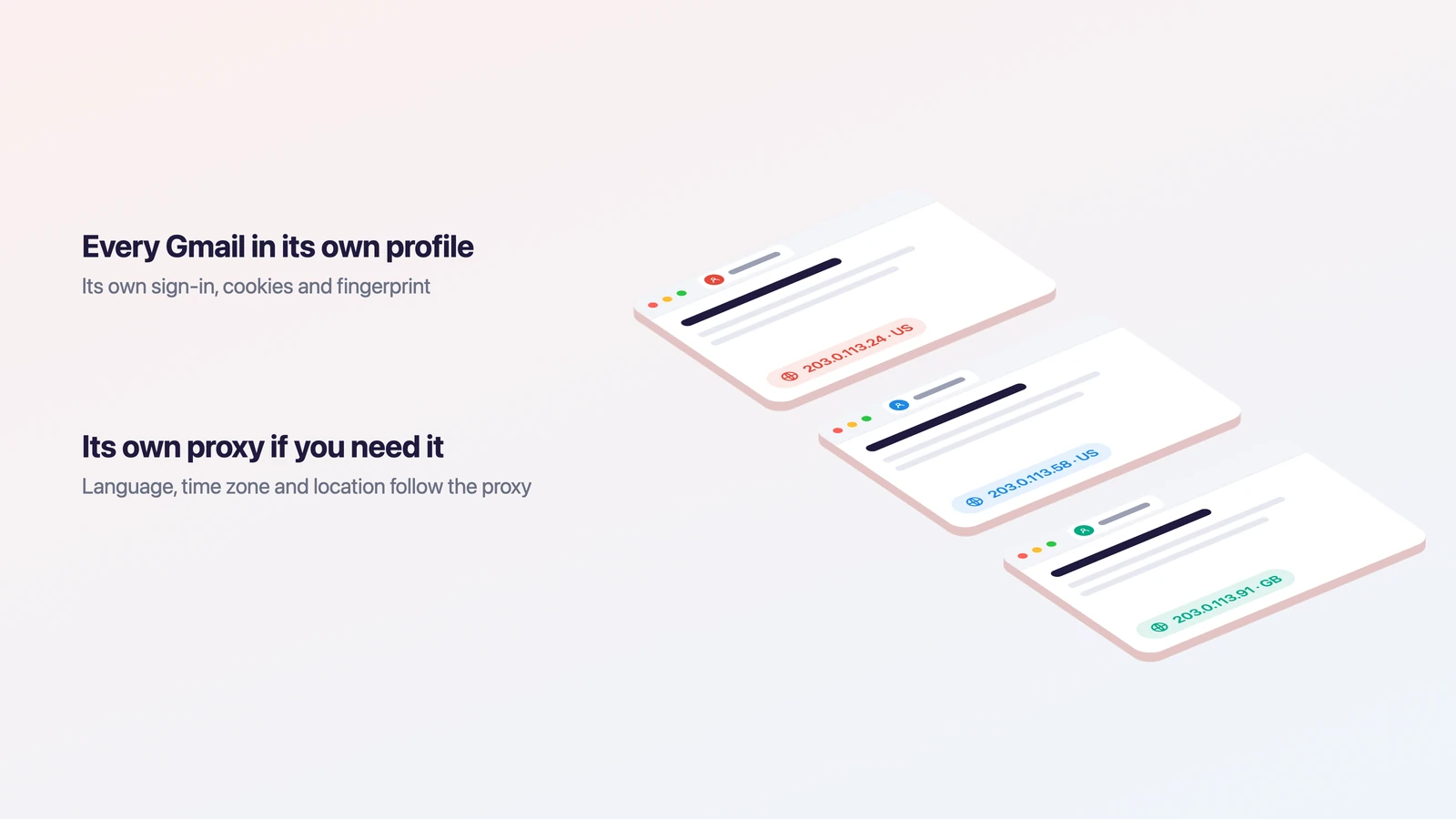
Since every profile has only one Google account in it, that account is always the default there. Docs, Drive and Ads links open under the right login, and you don’t have to check the corner of the screen first.
Cloud groups sync between Windows, Mac and iPhone, so the same profiles are waiting for you on your other devices. And if an assistant looks after one of the inboxes, share the cloud group with them by email. They get into the account without ever seeing the password.
How sites tell one browser from another is covered in our guide to browser fingerprinting.
FAQ
Is there a Gmail app for Windows 11?
Not from Google. On Windows 11 you can install Gmail as an app from Chrome or Edge and pin it to the taskbar, or add your Gmail address to the new Outlook.
How do I download Gmail on my Mac?
You don’t download anything. Open Gmail in Safari, click Share and choose Add to Dock. Chrome can install it as an app too, and Apple Mail works if you want a mail program.
How do I put a Gmail icon on my desktop?
Install Gmail as an app from Chrome or Edge first. On Windows, Edge then offers Create Desktop shortcut at edge://apps. On a Mac the icon goes to the Dock and the Applications folder.
Can I have two Gmail apps for two accounts?
Yes, as long as each one is installed from a different browser profile. Two Chrome profiles will give you two Gmail apps. In Accovod you’d open each account in its own profile instead.
Does the Gmail app work offline?
Only after you turn on offline mail in Chrome’s Gmail settings, and only for the account you turned it on for.
Which option to choose
With one Gmail account, a web app from Chrome, Edge or Safari is all you need, and Outlook or Apple Mail will do if you prefer a mail program. Two accounts are fine in two Chrome profiles. Once there are more, and they belong to different brands, projects or clients, give each one a profile in Accovod and keep them all in one window.