How to Tell If You’re Shadowbanned on TikTok (And Restore Your Views)

A TikTok shadowban is an unannounced reach restriction where the platform cuts off your videos from the For You feed (FYP) and excludes them from hashtag search indexing. Your account remains active: videos upload without errors, and your current followers can still watch them from their Following tab or your profile page. TikTok never sends a warning notification, but the restriction is easily diagnosed by reviewing your video traffic sources.
Here is how to tell the difference between a real shadowban, the standard 200-view plateau, and a hard zero, how to verify your account status without untrusted third-party tools, and how to restore your organic impressions.
The difference between a shadowban, hard zero, and the 200-view plateau
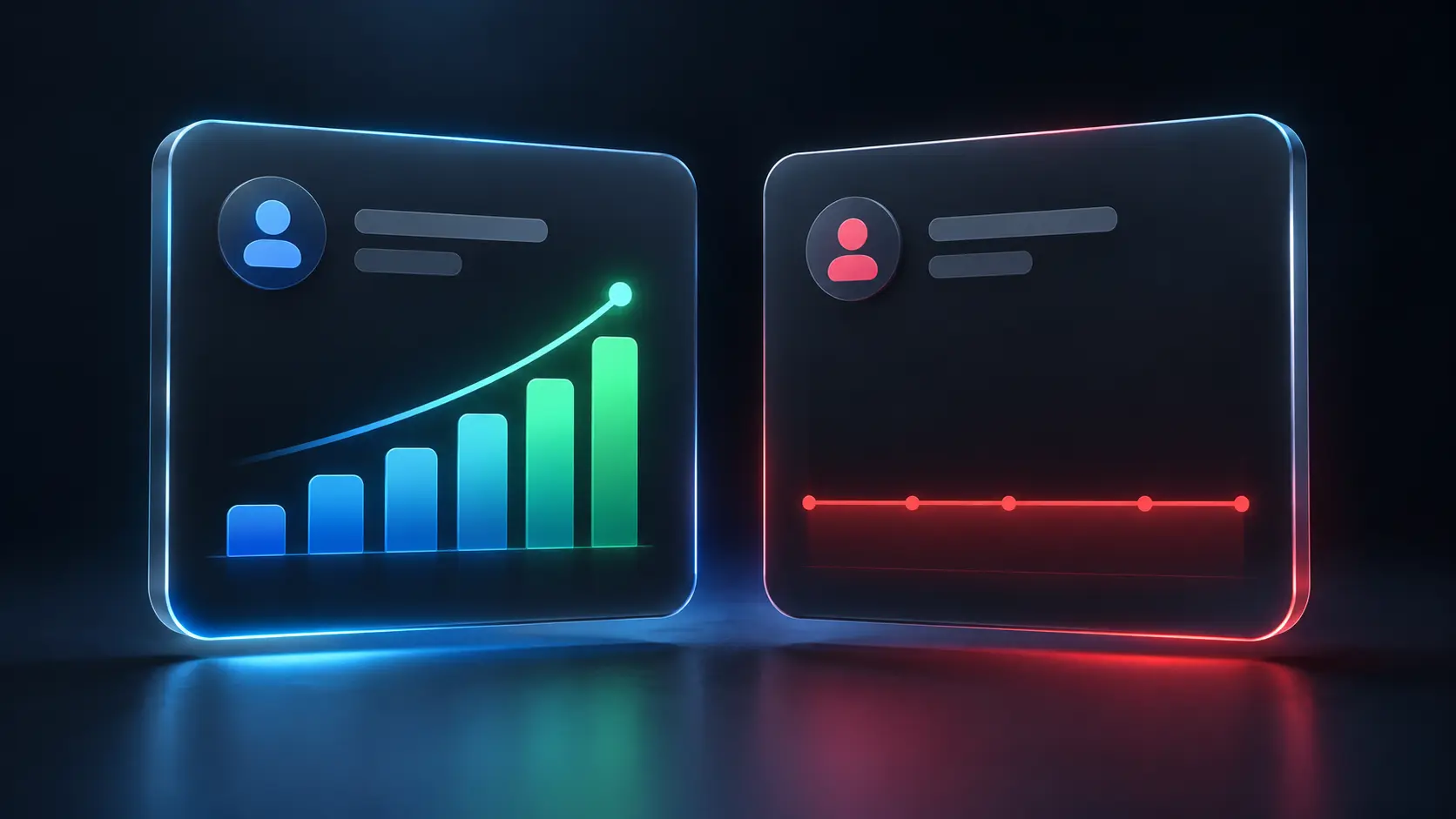
Most creators misdiagnose every drop in views as a shadowban. In reality, TikTok applies three distinct algorithmic and technical filters that require completely different responses:
- Getting stuck at 200 views (the seed audience plateau) is NOT a shadowban. Your video reaches 200–300 views within the first couple of hours and suddenly stalls (creators often informally call this the “200-view jail”). This is standard algorithm behavior. TikTok serves your video to an initial seed audience of 200–300 random users. If early watch time, retention, or the 3-second completion rate fall below performance benchmarks, distribution halts. The issue is hook strength and viewer retention, not an account penalty.
- Hard Zero Views (0–5 views). Your video sits at 0–5 views for hours or days. This is an anti-fraud security block: TikTok’s ingestion filter flagged the upload as an unoriginal duplicate, detected a blacklisted datacenter proxy/VPN, or linked your device fingerprint to previously suspended profiles.
- True Shadowban (0% For You traffic). Your videos gain small amounts of views (10–50) exclusively from existing followers or direct profile visits, but your analytics show exactly 0% For You page traffic across multiple posts. The recommendation engine has quarantined your profile.
| Metric | The 200-View Plateau | True Shadowban | Hard Zero Views |
|---|---|---|---|
| For You (FYP) traffic share | 60%–90% of total views | Exactly 0% | 0% (never distributed) |
| Total typical views | 200–300 | 10–50 (followers only) | 0–5 |
| Hashtag search indexing | Video is discoverable | Hidden from search results | Not indexed |
| Root problem | Low retention / weak hook | Content strike or link spam | Hardware, IP, or hash flag |
How to check for a shadowban: 3 reliable methods
Avoid third-party shadowban checker tools or automated bots: none of them possess access to ByteDance’s internal moderation logs. You only need the data provided within TikTok itself.
1. Traffic source breakdown in Analytics (primary indicator)
Wait 24 to 48 hours after posting a video so analytics can mature. Open the video, tap the three dots → Analytics → check Traffic Source Types:
- If For You shows between 50% and 95%, your account is in good standing and distributed normally.
- If For You is at 0% across 3 or more consecutive uploads while impressions come solely from “Personal Profile” and “Following,” your account is under algorithmic quarantine.
2. Account Check in TikTok Studio
In the mobile app, go to: Profile → Menu → TikTok Studio → Account Check (or Account Status). This native dashboard displays active account warnings:
- Active community guideline strikes;
- Posts marked as “Ineligible for the For You feed”;
- Temporary feature restrictions on comments, live streaming, or sounds.
If a specific video was flagged for recommendation removal, this screen will display a direct “Appeal” button next to that upload.
3. Incognito search indexing test
Publish a short test clip with an uncommon, unique hashtag (such as #accocheck290926). Using another device or a private browser window where you are not logged in, search for that exact tag on TikTok and switch to the “Recent” tab. If the video fails to appear after 20–30 minutes, your account is being suppressed from search indexing.
What actually triggers reach restrictions: 6 real factors
TikTok does not restrict accounts randomly. In 2026, automated moderation models trigger distribution suppression based on specific risk signals:
- Aggressive off-platform funneling (bio links). Placing links to external messaging platforms (Telegram channels, WhatsApp groups, affiliate funnels) on fresh profiles severely throttles reach. The algorithm identifies this as spam-farm behavior.
- Unoriginal media and duplicate video hashes. Re-uploading videos from YouTube Shorts, Instagram Reels, or other TikTok accounts without deep transformation. ByteDance algorithms cross-check color histograms, audio waveforms, and video frames against a massive library of existing uploads.
- Dirty proxies and geographical hopping. Accessing an account through low-cost datacenter proxies or public VPNs. Logging in from Germany in the morning and from the US in the afternoon on a shared IP triggers immediate automated security quarantine. For clean routing guidelines, see our guide to mobile proxies.
- Spamming uploads on fresh accounts. Publishing 5 to 10 videos on the first day of creating an account. Legitimate individual creators do not operate with pre-scheduled bulk uploads; this pattern triggers automated bot detection.
- Bulk video deletion. Deleting 10 to 20 videos at once is interpreted by security systems as an attempt to erase rule-breaking content, which often results in a 1-to-2 week freeze on account impressions.
- Third-party watermarks. Logos from CapCut templates, competing platforms, or visible editing tool overlays automatically exclude your content from recommendation pools.
Practical recovery plan: how to remove a shadowban

Clearing the mobile app cache or restarting your phone will not remove a shadowban: algorithmic penalties exist on TikTok’s backend servers, not in local storage. Recovery requires systematic operational adjustments:
Step 1. Strip external bio links
Remove affiliate redirects, Telegram links, and multi-link tools from your profile bio. Return your account presentation to that of an ordinary organic creator.
Step 2. Set questionable videos to Private (do not delete)
Never mass-delete videos with zero views or policy flags. Open the flagged video → tap the three dots → Privacy settings → Who can watch this video: “Only me”. The post is removed from public feeds and moderation queues without triggering bulk-deletion penalty flags.
Step 3. Take a 48–72 hour activity cooldown
Stop posting, commenting, and rapid-following for at least two full days. This allows rolling velocity filters to reset. You may still use the app for 15–20 minutes daily as an ordinary viewer watching the For You feed.
Step 4. Publish a high-retention native test video
Do not publish a boring video of an empty wall—viewers will swipe away immediately, resulting in 20 views due to zero retention.
- Create a punchy, 6-to-9 second clip with a strong visual hook in the first 2 seconds.
- Attach a trending native sound from TikTok’s internal library.
- Publish during your target audience’s peak viewing hours.
Check your Traffic Sources after 24 hours: if For You traffic registers at 15%–30% or higher, the recommendation lock has been lifted.
Step 5. Appeal specific flagged posts
Avoid writing long support tickets to the generic help desk; those tickets are handled by automated bots. If a specific upload is marked as “Ineligible for the For You feed” under TikTok Studio → Account Check, click the “Appeal” button directly on that item. Automated secondary reviews overturn incorrect initial flags in roughly 30%–40% of cases within 24 hours.
What to do if the shadowban persists past 14 days
If two weeks have passed, you have privated flagged content, waited through a cooldown, and published high-retention clips, but every upload remains at 0 views or 0% FYP, your account’s Trust Score has degraded beyond automated recovery.
Spending weeks trying to revive a burnt profile is commercially inefficient. It is faster to launch a fresh account with a refined content strategy. However, creating a new account on the same physical smartphone or standard browser will immediately trigger linked penalties due to shared device identifiers.
To learn how professional teams manage account portfolios safely, read our guide on multiaccount management.
Why TikTok links accounts and how to prevent chain bans
For agencies, media buyers, and content teams, reach suppression is rarely caused by content alone. It is frequently the result of account linking.
When you toggle between 3 to 5 accounts inside a single mobile app or standard browser, TikTok’s fraud detection system monitors shared infrastructure:
- Hardware identifiers: IDFV on iOS, Google Advertising ID (GAID), AppSet ID, and DRM Device ID on Android.
- Browser fingerprints: Canvas hashes, WebGL vendor strings, AudioContext data, screen metrics, and Client Hints during desktop access.
- Network markers: Identical public IP addresses, matching DNS resolvers, and WebRTC leaks.
- Cross-session data: Shared local storage entries and residual session tokens.
If one account receives a severe spam flag or shadowban, the anti-fraud system lowers trust across all associated profiles on that machine.
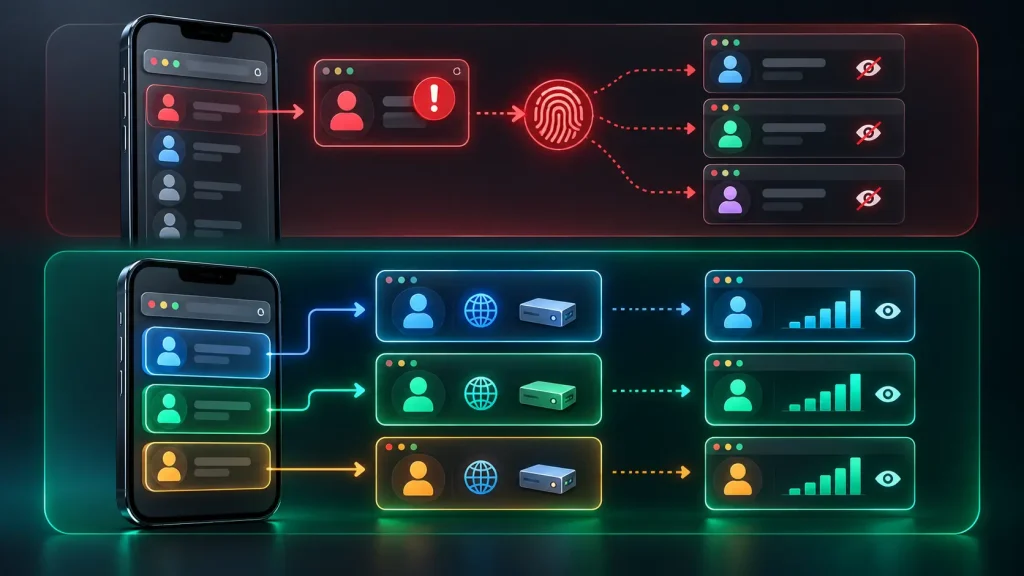
To eliminate cross-account interference, media professionals deploy an anti-detect browser. Accovod runs every account inside an isolated environment:
- Distinct browser fingerprints: Each profile generates individual GPU parameters, Canvas outputs, WebGL configs, and Client Hints. To TikTok, each profile appears as a separate physical machine.
- Independent storage: Cookies, cache, and session tokens remain strictly separated between profiles.
- Dedicated mobile/residential proxies: Every profile maintains its own clean IP address within the target location, preventing geolocation jumps.
- Seamless team collaboration: Profiles can be shared across team members without session resets or suspicious login alerts.
This structural separation isolates risk: if a single video or account encounters an algorithmic filter, your other profiles continue to gain impressions in the recommendation feed. For foundational architecture, see our overview of what is a multi-account setup.
Frequently Asked Questions (FAQ)
Can I remove a TikTok shadowban using TikTok Promote?
No. Paid promotion forces delivery while your campaign budget is active, but it does not remove an organic shadowban. The moment advertising spend ends, organic For You distribution returns to 0%. Paid views do not restore algorithmic account trust.
Does switching between a Personal and Business account help?
Account type has no bearing on recommendation filters. In fact, Business accounts lose access to copyrighted commercial music libraries, which can reduce your content’s organic appeal.
Does clearing app cache fix a shadowban?
No. Clearing cache only deletes temporary local files (stickers, thumbnail previews) from your device. Algorithmic penalties are enforced on TikTok’s backend infrastructure; local app resets cannot influence server-side moderation flags.
Why is my video stuck at exactly 200–250 views?
This is not a shadowban. It is the platform’s standard seed audience test (the initial distribution threshold). TikTok showed your video to roughly 200 initial viewers, but retention or completion rates were insufficient to justify wider distribution. The algorithm simply stopped pushing unengaging content.
What causes a brand-new TikTok account to get 0 views immediately?
Immediate zeros on new accounts point to technical security filters: low-trust datacenter IPs (public VPNs), a device linked to previously banned profiles, or unoriginal video files with known hash signatures. New profiles require clean mobile proxies, 2–3 days of passive viewing, and original creative assets.
Can followers see my videos during a shadowban?
Yes. Followers continue to see uploads in their Following feed, and anyone navigating directly to your profile can watch your videos. A shadowban exclusively blocks delivery to new audiences via the For You page and search indexing.