GoLogin review 2026: pricing, free plan, limits and an alternative
GoLogin (gologin.com) is an antidetect browser that gives each account its own profile with a separate fingerprint and proxy. Any GoLogin review has to start with pricing, because the plan you need depends on how many accounts you run. There’s a free plan with 3 profiles, a 7-day trial, and paid plans from $9 a month for 10 profiles.
Accovod is a GoLogin alternative for Windows, Mac and iPhone that has no limit on profiles and shows all of them in one window.
Contents
- What is GoLogin?
- GoLogin pricing in 2026
- GoLogin limits you’ll notice in daily work
- GoLogin vs Accovod
- A GoLogin alternative without a profile limit
- All accounts in one window
- Fingerprint and proxy for each profile
- The same accounts on your iPhone and Mac
- Automation and AI agents
- How to move from GoLogin to Accovod
- Which option fits your setup
- FAQ
What is GoLogin?
GoLogin is an antidetect browser for people who run many accounts on the same sites: ad accounts, online stores, social media, affiliate marketing and web scraping. Every profile gets its own fingerprint, cookies and proxy, so sites see each account as a separate visitor.
The desktop app runs on Windows, Mac and Linux. GoLogin also has a phone app and a cloud browser that runs profiles on its servers. Teams can share profiles with each other, and developers can work with profiles through a REST API.
GoLogin pricing in 2026
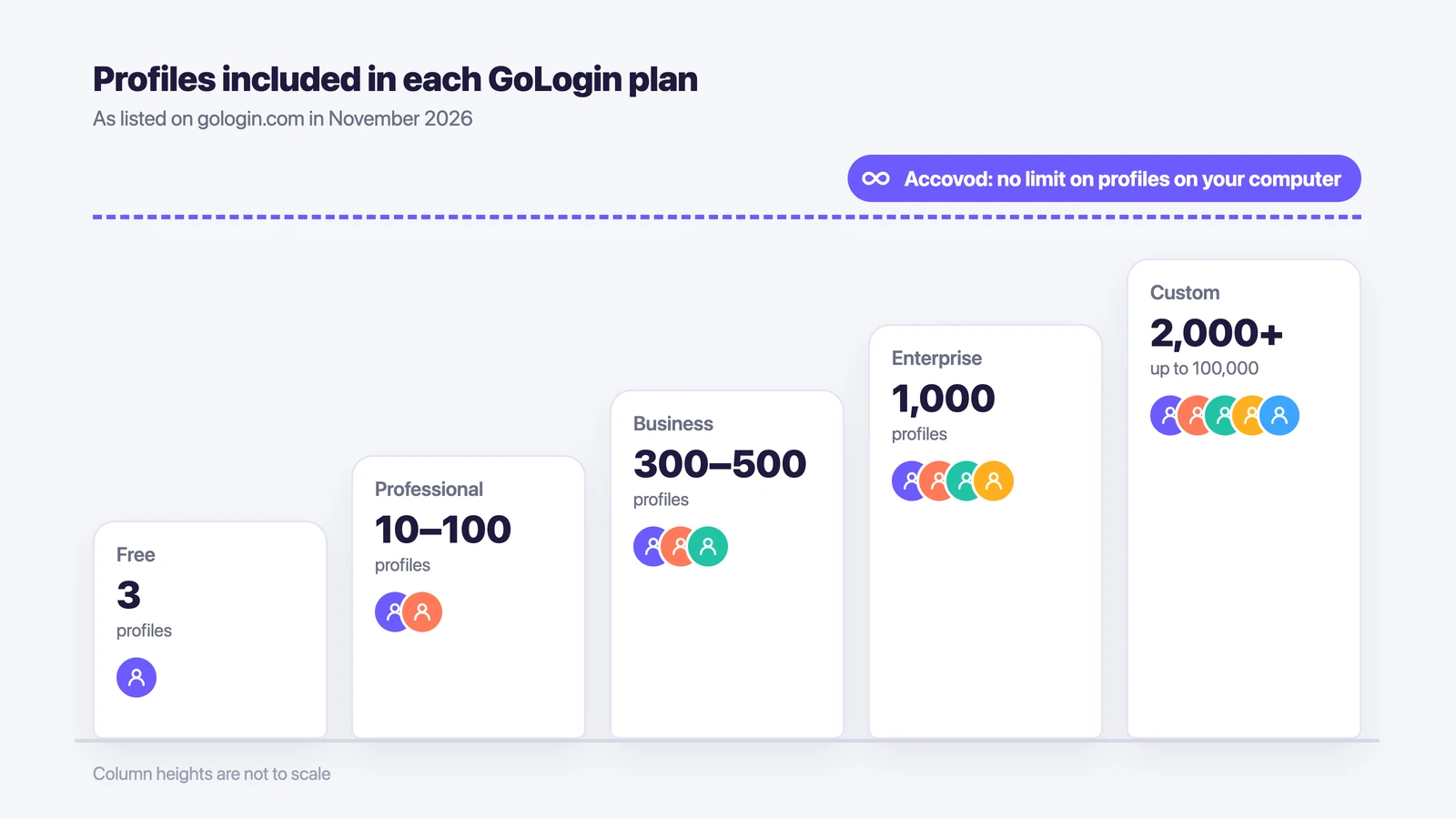
GoLogin has four paid plans, and they differ mainly in the number of profiles.
With monthly billing, Professional starts at $9 a month for 10 profiles, and you can raise it to 25, 50 or 100 profiles for a higher price. It doesn’t include team members. Business starts at $99 a month for 300 profiles, with an option for 500. Enterprise costs $179 a month for 1,000 profiles. Custom starts at $279 a month for 2,000 profiles and goes up to 100,000.
Business, Enterprise and Custom each include one team member, and every extra member costs more, for example $10 a month on Business. The plans also differ in how many profiles you can share (10, 100, 1,000 or 2,000), how many profiles run in the cloud at once (from 1 to 4) and the REST API limit. If you pay for a year, GoLogin takes 50% off.
These prices are as listed on the GoLogin pricing page on November 10, 2026.
The free plan gives you 3 profiles in the desktop browser, without profile sharing or team members. Every new account also gets a 7-day trial of the paid features.
GoLogin limits you’ll notice in daily work
Because GoLogin charges by the number of profiles, the plan has to grow with your accounts. With 120 accounts, the 100-profile Professional plan isn’t enough, so you move to Business with 300 profiles. With 1,100 accounts, you move from Enterprise to Custom.
Team access works the same way. Professional has no team members, only up to 10 profiles you can share with colleagues, and on the bigger plans each extra member is added to the price.
GoLogin vs Accovod
| GoLogin | Accovod | |
|---|---|---|
| Number of profiles | 3 on the free plan, then 10 to 100,000 depending on the plan | No limit on profiles on your computer |
| Computer | Windows, Mac and Linux | Windows and macOS 14 or later |
| How profiles open | Each profile opens in its own browser window | All profiles in one window, switched like tabs |
| Same profiles on another device | Cloud browser and profile sharing | Cloud groups sync between Windows, Mac, iPhone and iPad |
| Team access | Team members are added per plan, extra members cost more | A cloud group is shared with a teammate by email |
| Automation | REST API | Local API, MCP server, Automator, Walker, Synchronizer |
A GoLogin alternative without a profile limit
The biggest difference is how you pay for accounts. In GoLogin, you look at your account count first and then pick a plan that fits. In Accovod, you can keep as many profiles on your computer as you need, so a new store, a new project or a batch of new ad accounts doesn’t mean a new plan.
Profiles that you also need on a Mac or iPhone go into a cloud group. The rest stay on your computer.
All accounts in one window
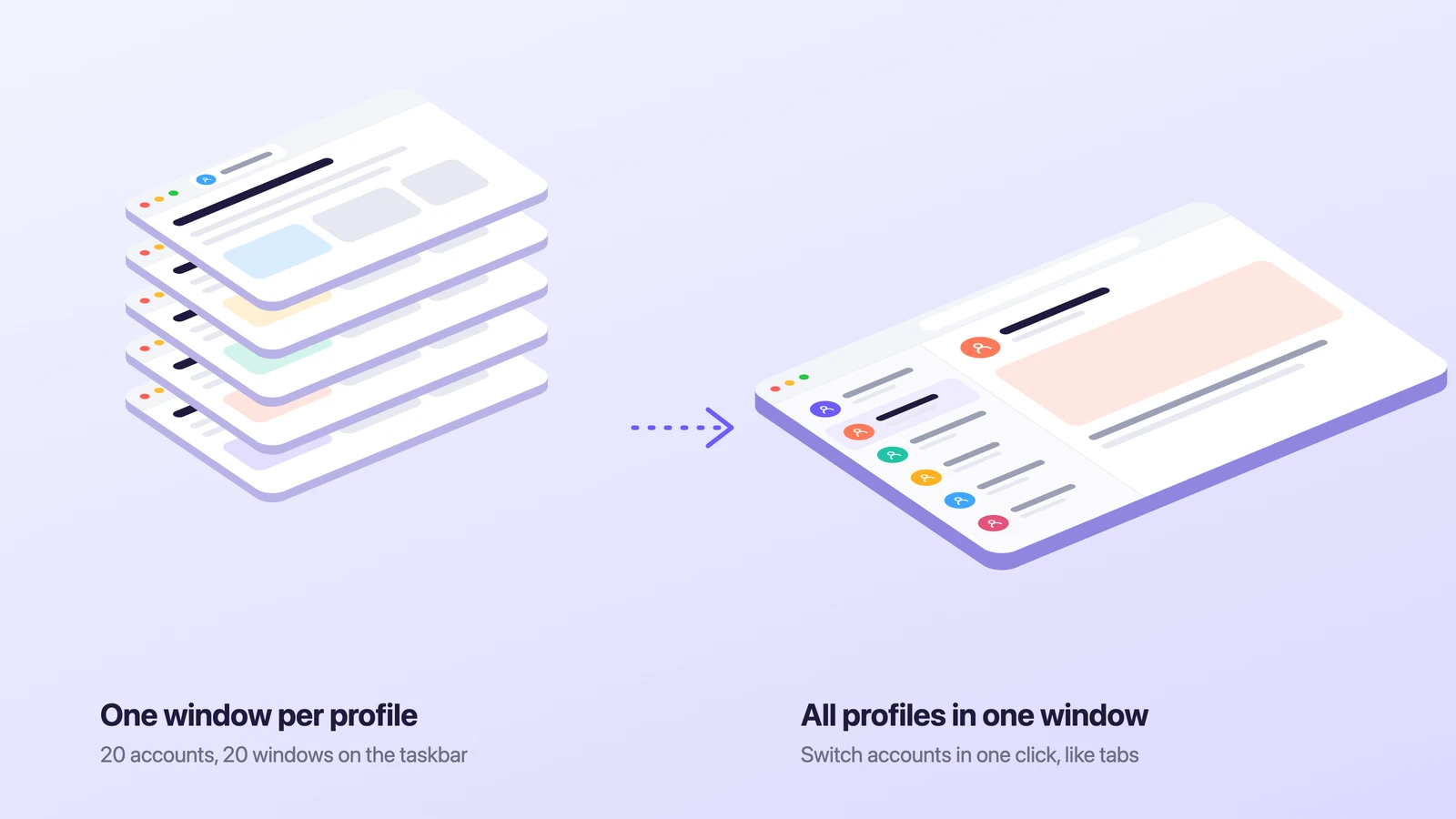
The second difference shows up as soon as you have more than a few accounts open. In GoLogin, as in other popular antidetect browsers, each profile opens in its own browser window. With twenty accounts open, you end up hunting for the right window on the taskbar.
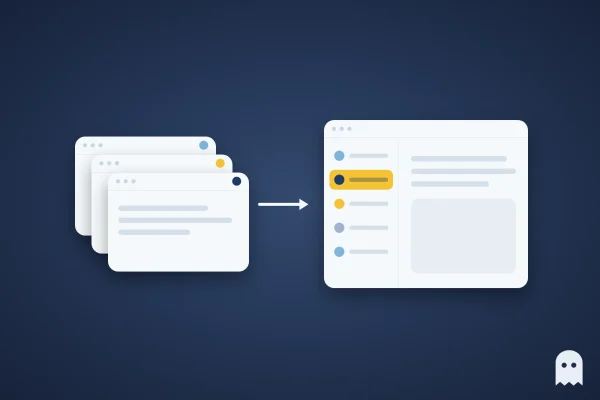
In Accovod, all profiles sit as a list in one window, and you switch between them with one click, the way you switch tabs. Each profile still keeps its own cookies, storage and proxy, so logging in to one account doesn’t log you out of another.
On Windows, Accovod 6.5 opens a group of 100 profiles in under a second, down from 6.8 seconds in earlier versions, and uses 40% less memory. You’ll feel it if you keep dozens of accounts open all day.
Fingerprint and proxy for each profile
To keep sites from linking your accounts, each profile has to look like a different browser. Sites compare the IP address and what the browser says about itself: canvas, WebGL, audio, the User-Agent, screen size and the number of CPU cores. Every Accovod profile gets its own set of these values, and the profiles pass the Pixelscan and BrowserScan checks. Our guide to browser fingerprinting explains what each of these values is.
Each profile also has its own HTTP or SOCKS5 proxy. When you add one, the built-in check shows the IP, its country and Fraud Score, and Accovod sets the profile’s language and time zone to match the proxy. If the proxy goes down, pages in that profile stop loading, so the account never shows up from your home IP.
The same accounts on your iPhone and Mac
You can also reach the same accounts away from your computer. Accovod has a Mac app for macOS 14 or later and an app for iPhone and iPad (iOS and iPadOS 17 or later). Profiles in a cloud group open on your PC, Mac and phone with the same cookies and proxy. You can set up an account at your desk and reply to a message from your iPhone later without logging in again.
To give a teammate access, share a cloud group with them by email. They get the profiles with their cookies and proxies, and the account passwords aren’t handed over. Each person needs their own seat, because one license works on one device at a time.
Automation and AI agents
Routine work with accounts can also run on its own. If you write code, Accovod has a local API with about 40 methods and an MCP server that lets an AI agent in Claude Code, Codex or Cursor open profiles and work with the pages inside them. If you don’t, Automator handles routine tasks without code, Walker warms up new accounts, and on Windows the Synchronizer repeats your actions in several profiles at once.
Accovod costs from $15 a month with unlimited profiles.
How to move from GoLogin to Accovod
- Download Accovod from accovod.com and pick a plan.
- For each account, create a profile with a name, the site and the same proxy the account used in GoLogin. The site then sees the familiar IP and country, and only the browser changes. If your proxy list is in a different format, the free proxy converter will reformat it.
- Move the logins with cookies. Open the profile in GoLogin, export the account’s cookies in JSON, for example with the Cookie-Editor extension, and paste them into the matching Accovod profile. If you have cookies in Netscape format, run them through the cookie converter first. The steps are in our cookies guide.
- Click the check next to the proxy and make sure the IP and country are the ones the account is used to.
- If you need some profiles on your Mac or iPhone, or want to share them with a teammate, add them to a cloud group.
It’s safer to move a few less important accounts first and the rest in batches over the next days.
Which option fits your setup
If you run two or three accounts, the count matters less than convenience. In Accovod, these accounts sit in one list in one window and also open on your iPhone, so you can check them away from your desk.
If you run ten to a few hundred accounts, work out what GoLogin would cost for your exact number of profiles and compare it with a browser where the profile count doesn’t change the price.
If a team works on the accounts, look at how access is shared. In GoLogin, members are added to the plan. In Accovod, you share a cloud group by email, and each person uses their own seat.
You can also compare GoLogin with other options in our list of GoLogin alternatives.
FAQ
Is GoLogin free?
GoLogin has a free plan with 3 profiles in the desktop browser, without profile sharing or team members. Paid plans start at $9 a month for 10 profiles, and new accounts get a 7-day trial of the paid features.
How much does GoLogin cost per month?
As of November 2026, with monthly billing, Professional starts at $9 a month for 10 profiles, Business at $99 for 300 profiles, Enterprise costs $179 for 1,000 profiles, and Custom starts at $279 for 2,000 profiles. Paying for a year cuts the price by 50%.
What is GoLogin used for?
People use GoLogin to run many accounts on the same sites without them being linked: ad accounts, marketplace stores, social media, affiliate offers and scraping. Each account gets its own profile with a separate fingerprint and proxy.
Can I move my GoLogin profiles to another browser?
Each antidetect browser stores profiles in its own format, so the profiles themselves don’t move. You move the logins instead. Export each account’s cookies from GoLogin and paste them into a new profile with the same proxy. The site sees the same session, and you don’t have to log in again.
Is there a GoLogin alternative with unlimited profiles?
Yes. In Accovod, the number of profiles on your computer isn’t limited, all profiles open in one window, and profiles in a cloud group also work on Mac, iPhone and iPad.