Profiles
Cookies and logging in
How to log in to an account in Accovod with cookies. JSON format, importing while creating a profile, the Cookie Editor, exporting and clearing a session.
Cookies are what keep you logged in on a site. Move them into a profile and the site sees a user who is already signed in — no password, no SMS code.
That’s how purchased accounts, accounts from colleagues and sessions from another anti-detect browser get into Accovod.
Format
Section titled “Format”Accovod accepts cookies as a JSON array — the format Cookie-Editor and EditThisCookie export:
[ { "domain": ".example.com", "name": "sessionid", "value": "a1b2c3…", "path": "/", "httpOnly": true, "secure": true, "expirationDate": 1790000000 }]Cookies in Netscape format
Section titled “Cookies in Netscape format”If your cookies are in the Netscape text format (cookies.txt, tab-separated lines), convert them to JSON with our cookie converter: paste the text, copy the result and use it in Accovod.
The httpOnly and secure flags and the expiry are kept. That matters: a site’s session cookies are almost always httpOnly, and a cookie that loses the flag can give the swap away.
Logging in while creating a profile
Section titled “Logging in while creating a profile”- In the New Profile form, tick Auth by Cookies.
- Paste the cookie JSON into the window and confirm.
- Fill in the rest — especially a proxy from the country where the account usually lives — and click Add.
The profile opens already logged in.
Cookie Editor for an existing profile
Section titled “Cookie Editor for an existing profile”Open the profile’s edit form (the pencil on the profile card, or right-click → Edit) and click Cookie Editor.
| Button | What it does |
|---|---|
| Get | Shows the profile’s current cookies as JSON — this is how you export them. |
| Set | Takes the cookies from the field. They are written to the profile when you click Save in the form. |
| Clear | Immediately deletes all of the profile’s cookies and cache. That logs out of every account in this profile. |
Below the editor, LocalStorage shows what sites have saved in local storage. It’s read-only.
After saving, reload the page so the site picks up the new session.
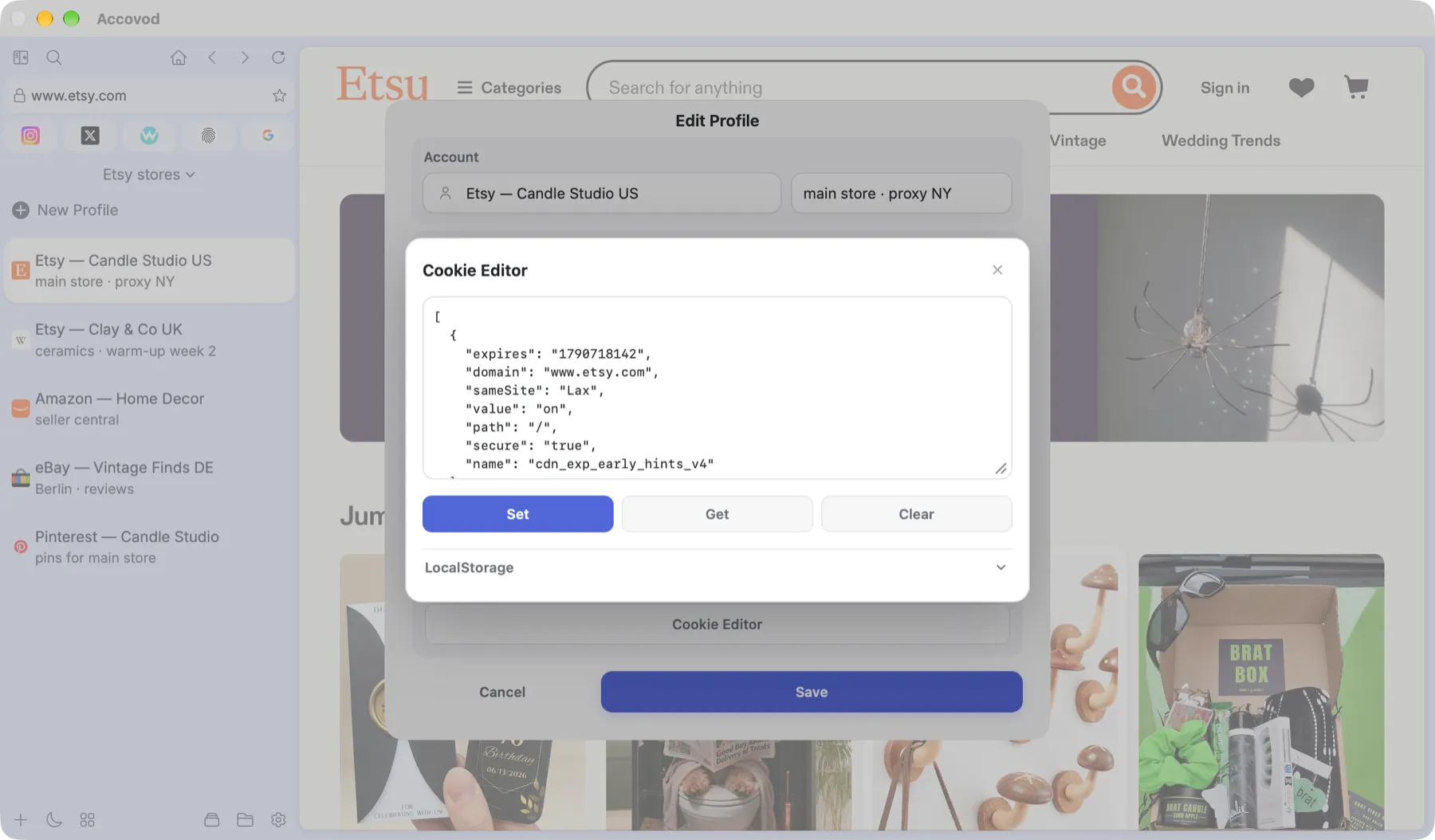
Cookie Editor: Set, Get and Clear buttons and the LocalStorage panel (macOS).
If the login didn’t work
Section titled “If the login didn’t work”- The cookies expired. Session cookies don’t live long. Ask for a fresh export.
- Wrong domain. Cookies for
.instagram.comwon’t help onfacebook.com— you need cookies of that exact site. - Different country. A site may drop the session if the account was in Germany yesterday and shows up from Brazil today. Use a proxy from the same country.
- Wrong format. It has to be a JSON array
[ … ]. Aname=value; name2=value2string won’t be accepted; convert a Netscape file with the converter first.