X account suspended: why it happened and how to get your account back

You open the app, and instead of your timeline there’s a grey banner across your profile: Account suspended. Seeing your X account suspended overnight hurts most when that account is your brand, your side business or a client’s page. X itself admits that some suspensions are mistakes, though, and there’s a set way to get the account back.
Often the fix takes a few minutes: log in, confirm your phone or email, and the suspension lifts. When it doesn’t, you file an appeal, and what you write in it matters.
Contents
- What “account suspended” means on X
- Why X suspends accounts
- How to unsuspend your X account
- How to appeal a suspended X account
- Can you make a new X account after a suspension?
- How to keep several X accounts apart
- FAQ
- Cheat sheet
What “account suspended” means on X
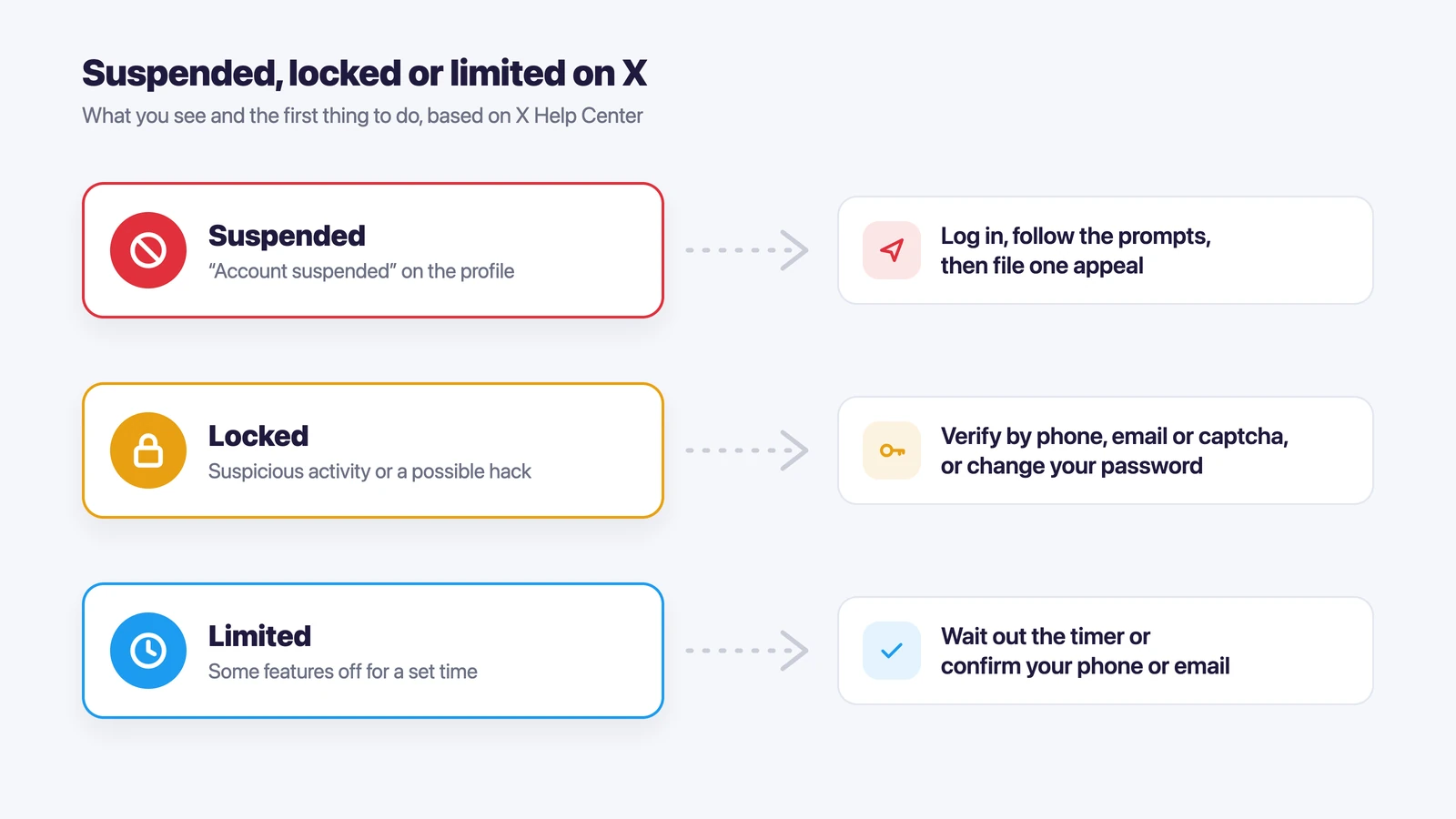
X uses a few different restrictions, and they look alike at first glance. A suspension is the strongest of them. Your profile shows “Account suspended” to everyone, and you can’t post, reply or follow.
A locked account is different. X locks an account when it sees suspicious activity or thinks the account was hacked, and you get it back by confirming you’re the owner. A limited account still works, but some features, such as posting or following, are switched off for a set time.
| What you see | What it usually means | What to do |
|---|---|---|
| “Account suspended” on your profile | X found a rule violation, spam or a security risk | Log in, follow any prompts, then file an appeal |
| “Your account has been locked” | Suspicious activity or a possible hack | Verify by phone, email or a captcha, or change your password |
| “Some of your account features are limited” | A temporary limit after reports or unusual activity | Wait out the timer or verify your phone or email |
| “Unusual activity” warning for visitors | The account is locked and waiting for verification | Finish the verification step |
Why X suspends accounts
X’s help page on suspended accounts names three main reasons.
Spam and fake accounts. According to X, most suspended accounts are spammy or fake. Real people get caught in the same net sometimes, and in those cases X says it works with the person to lift the suspension.
Account security. If X suspects an account was hacked, it may suspend it until the owner secures it.
Abusive posts or behavior. Threats, harassment and impersonation can lead to a temporary or a permanent suspension, often after other users report the account.
X’s rules on authenticity add a list of things that look like platform manipulation, even when you didn’t mean any harm:
- posting the same content from several accounts;
- accounts that keep promoting each other;
- following and unfollowing large numbers of people;
- buying or selling accounts, followers or engagement;
- posting and deleting the same content again and again.
If your X account was suspended for no reason you can see, check that list first. A burst of follows, a scheduled post copied across three accounts or a third-party app you once authorized can be enough. X says you’re responsible for the apps you connect to your account.
How to unsuspend your X account
Start with the simplest step, because it sometimes solves everything.
- Log in to the suspended account at x.com or in the app.
- If X asks you to add a phone number or confirm your email, do it. For some suspensions this is all it takes.
- If you see a message that the account is locked, follow the verification steps: a code by text or call, a code by email, or an automatic captcha check.
- If the message says the account was locked for security reasons, change your password using the link X shows you.
If none of this lifts the suspension and you believe X made a mistake, it’s time to appeal.
How to appeal a suspended X account
X asks you to file the appeal while you’re logged in to the suspended account. Log in first, then open a new browser tab and go to the appeal form linked from X’s page on suspended accounts.
These points make the appeal easier to review:
- Keep it short and factual. Say what the account is for and what you think triggered the suspension.
- If you made a mistake, such as posting the same thing from several accounts, say so and say you’ve stopped.
- If you think the account was hacked, mention it and say when you noticed.
- Send one appeal and wait. X doesn’t publish how long a review takes, and repeated forms don’t make it faster.
While you wait, you can still request a copy of your data from the same help page. If you’ve decided to leave X altogether, note that a suspended account can only be deactivated after you’ve filed an appeal.
Can you make a new X account after a suspension?
Not to get around the suspension. X’s rules treat creating a new account to replace a suspended one as ban evasion, and the new account can be suspended too. If you need X for work, the appeal is the safer route.
Having several accounts is a different matter. X allows up to 10 accounts for different purposes, and social media managers may run accounts on behalf of clients. What X doesn’t allow is using those accounts to post the same thing or to boost each other.
How to keep several X accounts apart
If you run a brand account, a personal account and a few client accounts, the trouble usually starts in the browser. They share one set of cookies and one IP address, and switching between them means logging out and back in all day.
Accovod is a browser for people who run many accounts. Each X account gets its own profile with its own cookies, proxy and device fingerprint, and all the profiles sit as a list in one window.
- Create a profile for each X account and give it a clear name, such as “X: brand” or “X: client A”.
- Add a proxy to each profile. The profile’s language and location follow the proxy.
- Open x.com in the profile and log in once. The login stays in that profile.
- If a teammate posts for you, share the cloud group with them by email. They open the account where you’re already logged in and never see the password. The teamwork guide shows how.
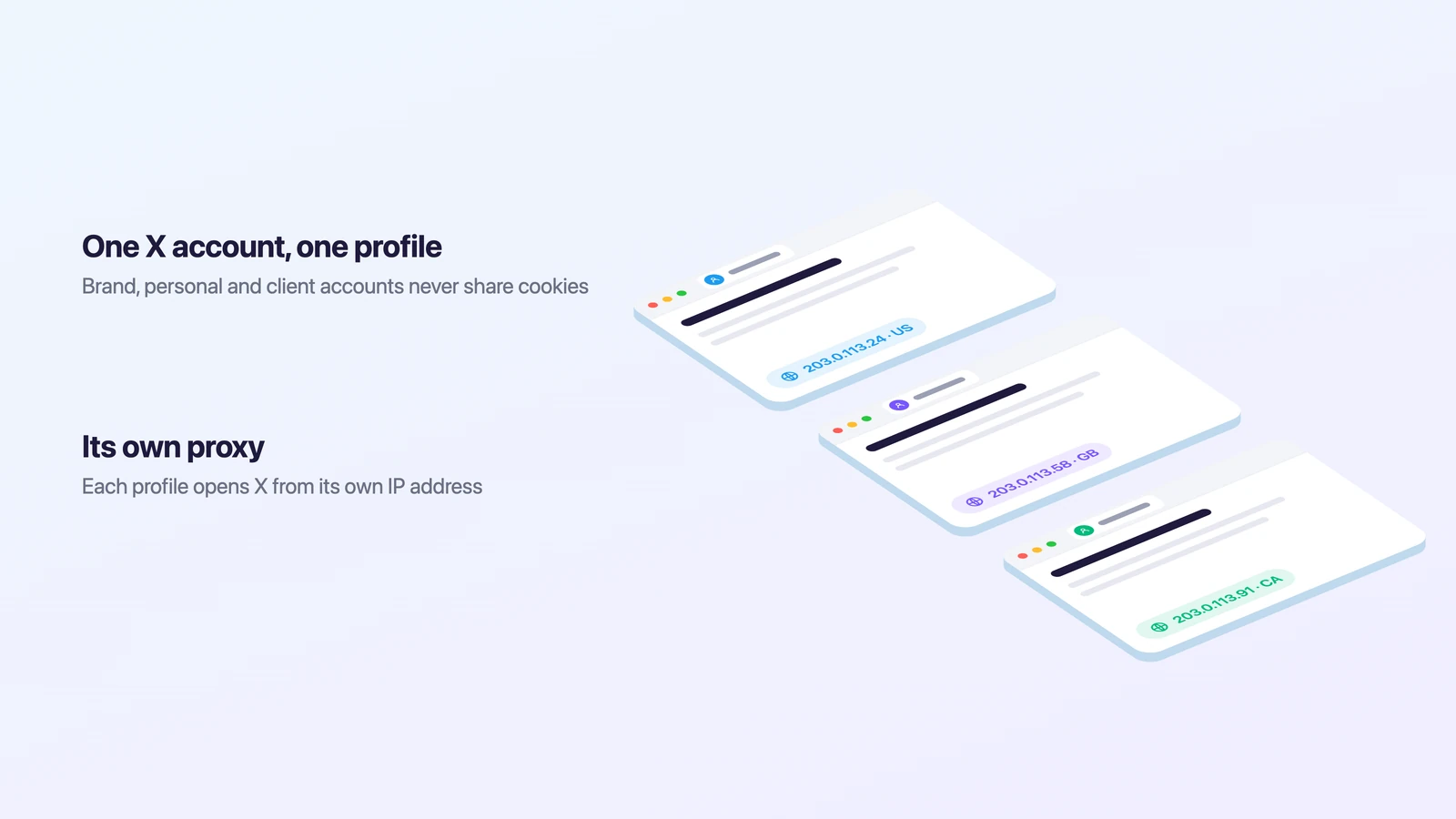
This keeps logins and cookies from mixing. X’s rules stay the same, so give each account its own content and its own purpose. For signing in on the web, see our guide to X login in a browser.
FAQ
Why was my X account suspended for no reason?
X’s help page says real accounts are sometimes suspended by mistake, usually by spam filters. Look at your recent activity: mass following, repeated posts, a connected app or several accounts posting the same thing. If none of that applies, file an appeal and say so.
How long does an X suspension last?
X doesn’t publish a fixed time. Some suspensions lift as soon as you verify your phone or email, others last until an appeal is reviewed, and serious violations can be permanent.
Is a suspension the same as a shadowban?
No. A suspended account is visibly blocked, and visitors see “Account suspended”. A shadowban only limits where your posts appear, and the account keeps working. Here is how to check for a Twitter shadowban.
Can I delete a suspended X account?
X calls this deactivation, and you have to appeal first. If the appeal doesn’t lift the suspension and you still want the account gone, X has a separate request form linked from its help page on suspended accounts.
Can I get my data from a suspended account?
Yes. X lets suspended accounts request a copy of their information through a form on the same help page.
Cheat sheet
- The profile says “Account suspended”: log in, follow the prompts, then appeal once.
- The message says “locked”: verify by phone, email or captcha, or change your password.
- Features are “limited”: wait out the timer or verify your contact details.
- You run several accounts: keep each in its own profile with its own proxy, and never post the same thing from all of them.