Instagram account suspended: why it happens and how to get your account back

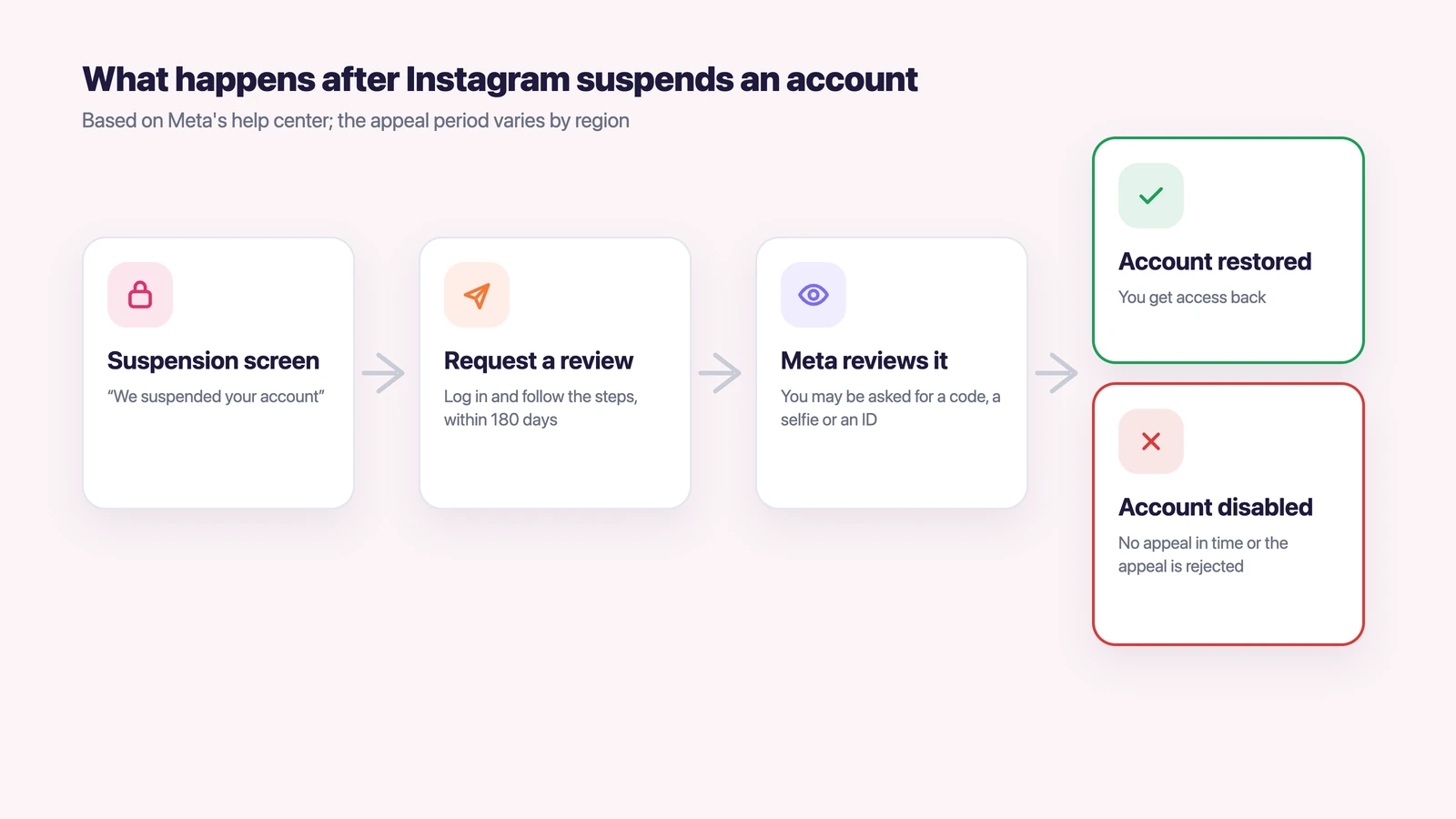
An Instagram account suspended for breaking the rules can usually be restored: log in and follow the instructions on the screen to ask for a review. Meta, which owns Instagram, gives 180 days to appeal, and the period varies by region. Without an appeal in time, or after a failed one, the account is disabled for good.
Below we explain the difference between a suspended and a disabled account, the usual reasons, how to appeal, what to do if you can’t log in, and how to keep several accounts so that a problem with one doesn’t spill over to the rest.
Contents
- Suspended vs disabled: what the message means
- Why did my Instagram account get suspended?
- How to check your Account Status
- How to appeal a suspended Instagram account
- If you can’t log in to appeal
- How to keep several Instagram accounts so one problem doesn’t hit the rest
- Common questions
- What to do, case by case
Suspended vs disabled: what the message means
A suspended account is blocked for now but can still be restored, while a disabled account is closed. Meta’s help center describes both: when you log in you see either “We suspended your account” or “We disabled your account”.
| Suspended | Disabled | |
|---|---|---|
| What it means | The account is blocked while you can still appeal | The account is closed for good |
| Time to act | 180 days, the period varies by region | You may still be able to ask for a review |
| What happens next | Appeal succeeds: the account comes back. No appeal or appeal rejected: the account is disabled | You lose access to the account and its content |
A suspension is not the only way to lose an account. For a serious violation Meta can disable an account right away, without suspending it first. And for smaller issues Instagram often limits features instead, for example you can’t post, comment or follow for a while.
Why did my Instagram account get suspended?
Instagram suspends an account when its systems or reviewers decide the account breaks the Community Standards or the Terms of Use. Meta lists the main reasons on its enforcement page and in Instagram help.
- Strikes for removed content. Each removed post adds a strike. After several strikes the account gets longer restrictions, and Meta may remove it. One severe violation can be enough on its own.
- Third-party apps. If you gave your username and password to an app that sells likes or followers, Instagram may restrict the account and flag it for review.
- Misleading identity. Impersonating someone or giving false information about yourself is against the Terms of Use.
- An account made to get around a ban. Meta disables accounts created to avoid an earlier restriction or removal.
- Age. You need to be at least 13. If Instagram doubts your age, it asks you to confirm it with a video selfie or an ID through its partner Yoti.
When it feels like Instagram suspended your account for no reason, the cause is usually one of these checks working automatically. It can be an app you once connected to the account or a post removed months ago, even if you never meant to break a rule.
How to check your Account Status
Account Status is the first place to look, because it shows what Instagram thinks you did. On a phone, open your profile, tap the menu, and under More info and support tap Account Status. On a computer, go to More, then Settings, then Account Status.
The page has three useful parts. Removed content lists the posts Instagram took down and why. Features you can’t use shows current limits. Request a review lets you disagree with a decision. Instagram notes that in most cases you get a warning before losing access, so Account Status often shows a problem before the account is suspended.
How to appeal a suspended Instagram account
You appeal a suspended Instagram account by logging in and following the instructions on the screen. Instagram’s help page about disabled accounts describes the review this way and doesn’t link a separate form.
- Log in on the app or on instagram.com with the account that was suspended.
- Read the reason on the screen. If it says the account doesn’t follow the rules, tap the option to ask for a review.
- If Instagram asks you to confirm your identity or age, do it. Usually that means a code, a video selfie or an ID.
- Wait for the decision. Instagram will tell you whether the account is restored and whether you can ask for another review.
While the review is on, don’t open a second account to wait it out. Meta disables accounts created to get around a removal, and that can hurt the appeal of the original one.
If you can’t log in to appeal
If you can’t get past the login screen because the password no longer works, the problem may be a hacked account rather than a suspension. Go to instagram.com/hacked and follow the steps there.
Instagram’s help for hacked accounts lists three ways back in, and it’s best to try them in this order.
- Check your email for a message from security@mail.instagram.com. If someone changed your email or password, that message has a link to undo it.
- On the login screen tap “Forgot password?” and ask for a login link to your email or phone.
- If neither works, request support from your phone. Instagram may ask for a video selfie, turning your head in different directions, or for the email or phone you signed up with.
Once you’re back in, check Account Status and the list of apps connected to the account.
How to keep several Instagram accounts so one problem doesn’t hit the rest
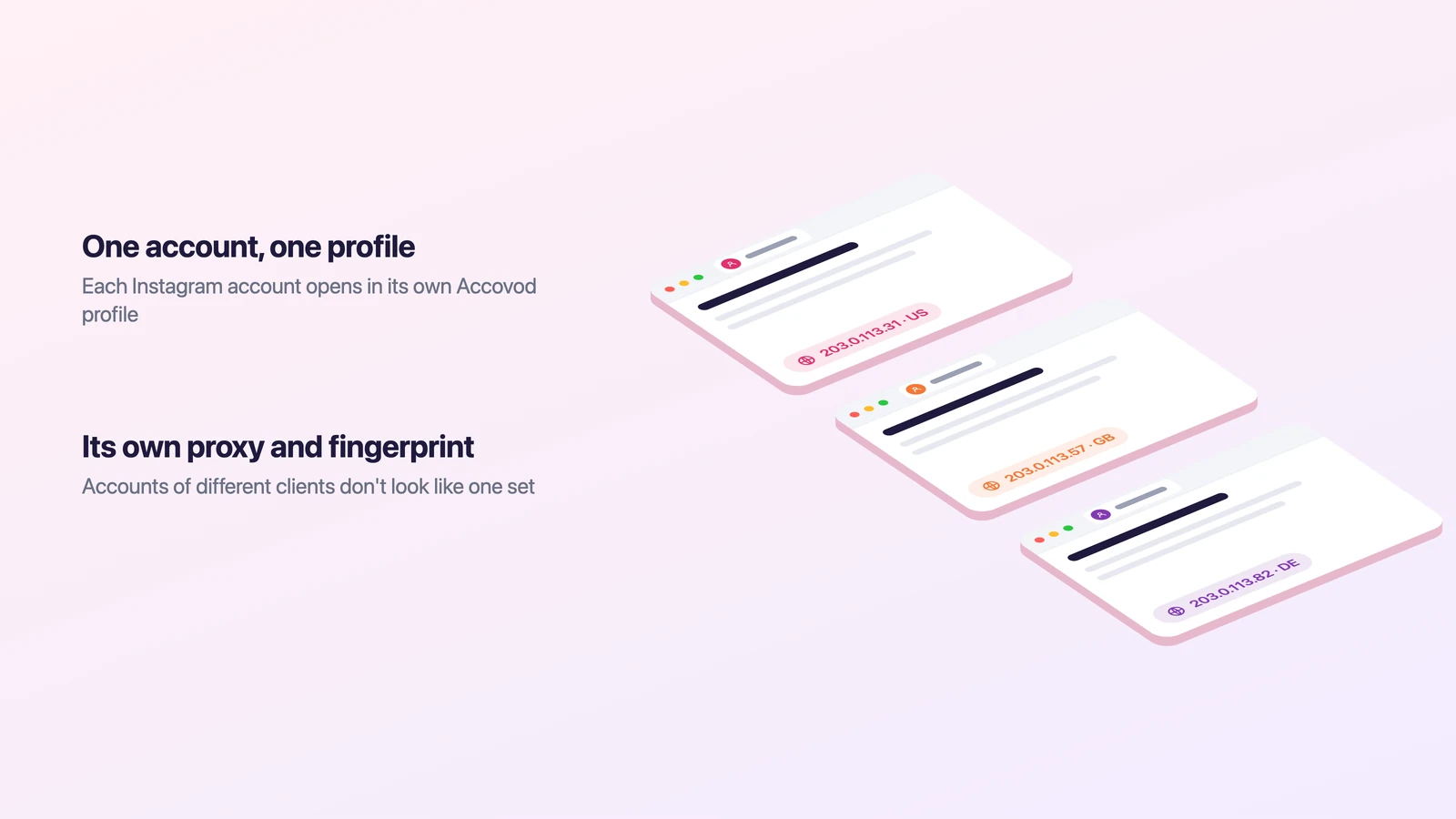
Several accounts are allowed: Instagram lets you be logged in to up to 10 at once. Trouble starts when accounts of different clients, brands or projects all sit in the same app or browser, on the same device and the same IP. For Instagram they then look like one set of accounts. If one client’s account gets flagged, the accounts of other clients can come under review too, although they have nothing to do with it.
The fix is to keep each account in its own browser profile. That is how Accovod works: it’s a browser for people who run several accounts, whether personal, work, brand, project or client accounts. Each account gets its own profile with its own cookies, its own fingerprint and its own proxy. All profiles sit in one window, and you switch between them in one click. More on what sites see in our article on browser fingerprinting.
- Click “New profile”, type instagram.com in Platform and the account name in Account.
- Paste a proxy (HTTP or SOCKS5) from the country where the account normally works and click the check mark. Accovod shows the IP, country and Fraud Score and sets the profile’s language and time zone to match the proxy.
- Click Add, open the profile and log in once. Next time the profile opens already logged in.
- Repeat for the next account, each with its own proxy.
If a teammate works with the same accounts, share a cloud group with them by email. They open the accounts already logged in, and nobody has to pass passwords or login codes around. Accovod runs on Windows and Mac, and the iPhone and iPad app opens the same cloud profiles. Our guide to managing multiple Instagram accounts covers daily work with them, and Instagram for Mac and PC shows the desktop options.
Common questions
How long does an Instagram suspension last?
A suspension lasts until you appeal or until the appeal period runs out. Meta gives 180 days, and the period varies by region. If you don’t appeal in that time, or the appeal is rejected, the account is disabled permanently.
Why is my Instagram account suspended for no reason?
Most suspensions come from automatic checks: strikes for removed posts, a third-party app with your password, or a doubt about your identity or age. Open Account Status to see what Instagram flagged.
Is there an Instagram disabled account appeal form?
Instagram’s help doesn’t link a separate public form. It says to log in and follow the instructions on the screen. If you can’t log in because of a hack, use instagram.com/hacked.
Can I make a new Instagram account after mine was disabled?
No. Instagram’s Terms of Use say you can’t use Instagram if your account was disabled for breaking the rules, and Meta disables accounts made to get around a removal. Appeal the original account instead.
Does Meta Verified help with a suspended account?
Meta Verified includes chat and email support for access and security issues. Instagram doesn’t say whether that support can restore a suspended account.
What to do, case by case
- If you see “We suspended your account”, appeal right away from the login screen and don’t open a replacement account.
- If you can’t log in at all, start with instagram.com/hacked and the “Forgot password?” link.
- If the account works but features are limited, open Account Status, read what was removed and request a review there.
- If you run accounts for several clients or brands, keep each one in its own Accovod profile with its own proxy and fingerprint.