Getting started
What is Accovod
Accovod is a browser for working with many accounts. Each profile is isolated — its own cookies, proxy, language, timezone and browser fingerprint.
Accovod is a browser in which every account lives in its own profile. To a website, each profile looks like a separate person on a separate computer: its own cookies, its own IP through a proxy, its own language, timezone and browser fingerprint.
A regular browser can’t do that. Open two accounts of the same service in Chrome and the site can easily tell one person is behind both — through shared cookies, the same IP and the same device characteristics.
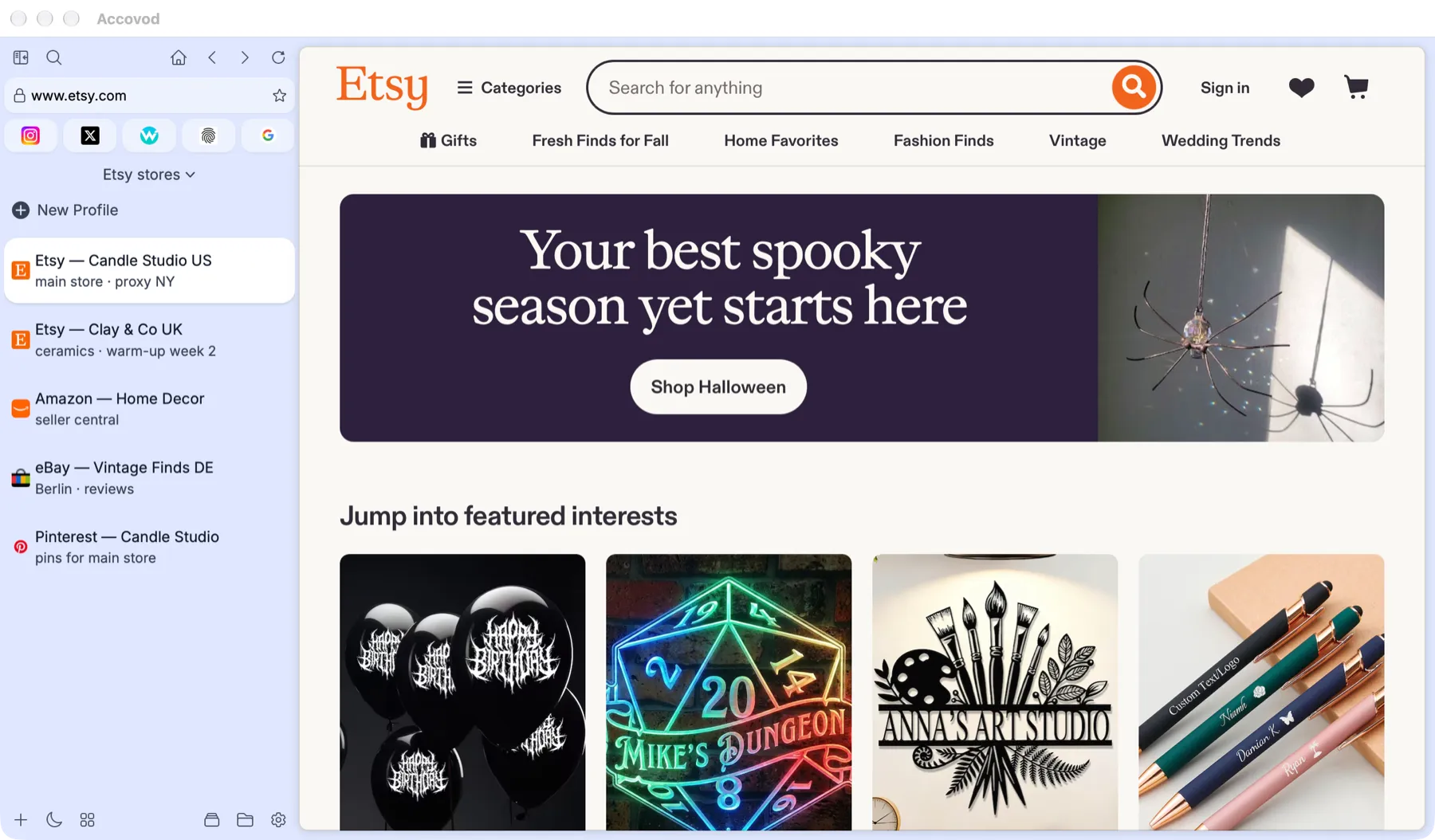
The "Etsy stores" group: every store has its own profile (macOS).
What every profile has
Section titled “What every profile has”| What | Why it matters |
|---|---|
| Its own storage | Cookies, LocalStorage, cache and history never overlap with other profiles. Logging out of one account doesn’t log you out of all of them. |
| Its own proxy | HTTP or SOCKS5. All of the profile’s traffic goes through it; other profiles don’t see it. |
| Language and timezone | Set to match the proxy’s country, so IP, language and time never contradict each other. |
| Browser fingerprint | Unique Canvas, audio, screen, CPU and memory values. Generated automatically when the profile is created. |
What Accovod is made of
Section titled “What Accovod is made of”- The macOS and Windows apps — your main workspace: profiles on the left, the browser on the right. On macOS, profiles run on WebKit (the Safari engine); on Windows, on Chrome or Edge — your choice. Requirements are in Install and sign in.
- The iPhone and iPad app — the same cloud profiles on your phone. See iPhone & iPad.
- Accovod Cloud — stores cloud groups so you can open them on another device and share them with your team.
- API and MCP — let scripts and AI agents such as Claude, Codex and Cursor drive your profiles. Available on macOS and Windows. See AI agents & API.
Key terms
Section titled “Key terms”Profile — one account with all of its settings. It appears in the list on the left.
Group — a set of profiles, for example “Etsy store” or “Client Smith”. One group is open at a time; you switch between them in the drop-down above the profile list. A group is either local (kept only on this computer) or cloud — stored in Accovod Cloud, synced across your devices and available on iPhone and iPad. The iOS app calls groups sessions.
Folder — a way to organize profiles inside a group so a long list stays readable.
Who it’s for
Section titled “Who it’s for”| Who | Why Accovod |
|---|---|
| Affiliate marketers and media buyers | Several Facebook, Google or TikTok ad accounts, each with its own proxy and no link between them. |
| Social media managers and agencies | Client accounts on Instagram, TikTok, X, Telegram and others in one window, without logging in and out. |
| Marketplace sellers | Several stores on Amazon, eBay, Etsy and other marketplaces without the risk of the platform linking and banning them together. |
| Crypto enthusiasts | Separate accounts on exchanges and Web3 services, airdrops and testnets. |
| Marketers and SEO specialists | Checking search results and ads from different countries, several Google accounts, reviews and community marketing. |
| Support and moderation teams | Working in several service accounts of the same platform at once. |
| QA engineers and developers | Seeing a site as different users, countries and devices; automation with Automator and the API. |
| Teams | Shared access to accounts without sharing passwords: a colleague sees the profile group and works in the same sessions. |
| Everyday users | Personal and work accounts of the same service kept apart, and more privacy online. |
Next steps
Section titled “Next steps”- Install the app and sign in.
- Create your first profile — it takes about five minutes.